1.272 FAQ-1132 如何创建箱线图的灰色图例?
Last Update: 5/9/2022
默认情况下,箱线图的图例符号跟随第一个箱体的样式。如果您要定制箱体的图例,比如,创建灰色的箱体图例,
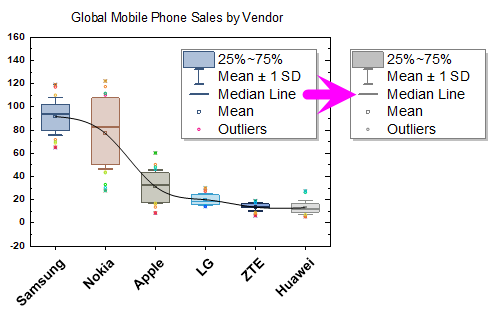
步骤:
- 右击图例,并选择 属性 菜单。
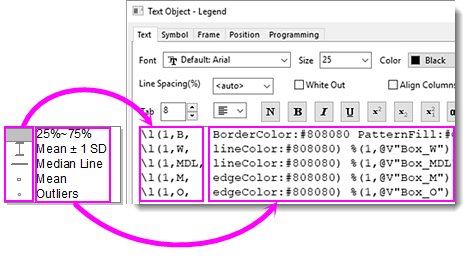
- 把默认的图例语句用改下语句代替:
\l(1,B, BorderColor:#808080 PatternFill:#C0C0C0) %(1,@V"Box_R")
\l(1,W, lineColor:#808080) %(1,@V"Box_W")
\l(1,MDL, lineColor:#808080) %(1,@V"Box_MDL")
\l(1,M, edgeColor:#808080) %(1,@V"Box_M")
\l(1,O, edgeColor:#808080) %(1,@V"Box_O")
 |
|
Keywords:plot label, data label, legend, line plot, box graph, substitution notation,绘图,标签,数据标签,图例,线图,箱线图,替换