1.187 FAQ-881 如何在坐标轴的始端和末端添加箭头?
Last Update: 8/13/2018
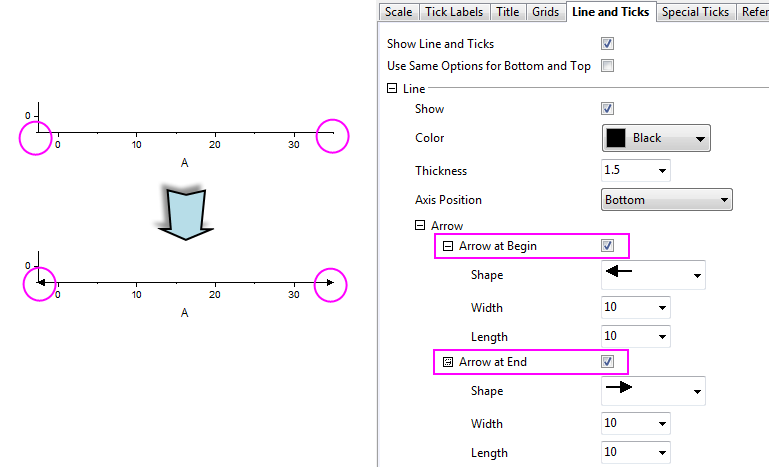
你可以通过 Axis 对话框在图形坐标轴的始端/末端添加箭头:
- 双击坐标轴,打开 Axis 对话框。
- 在 Line and Ticks 选项卡下,展开 Line 分支下的 Arrow 节点。
- 选择 Arrow at Begin 或 Arrow at End 复选框。
- 此外,你也可以展开 Arrow at Begin 或 Arrow at End 节点,以指定箭头的格式。
Keywords:axis, arrow, arrow at begin, arrow at end,坐标轴,箭头,箭头位于始端,箭头位于末端
Minimum Origin Version Required: 2018 SR0