Hinweis:Dieser Abschnitt ist nur in englischer Sprache verfügbar. Wir bitten um Ihr Verständnis.
3.5 FAQ-225 How do I fit all curves in my layer or graph?
Last Update: 10/18/2019
When you have multiple data plots in a single graph layer, or in multiple layers in a graph page, you can perform fitting to all of the data plot from Linear Fit or Nonlinear Fit dialogs.
The following video demonstrates linear fit to all data plots in the layer combined as a single dataset. The data are internally combined (concatenated) to perform the fit.
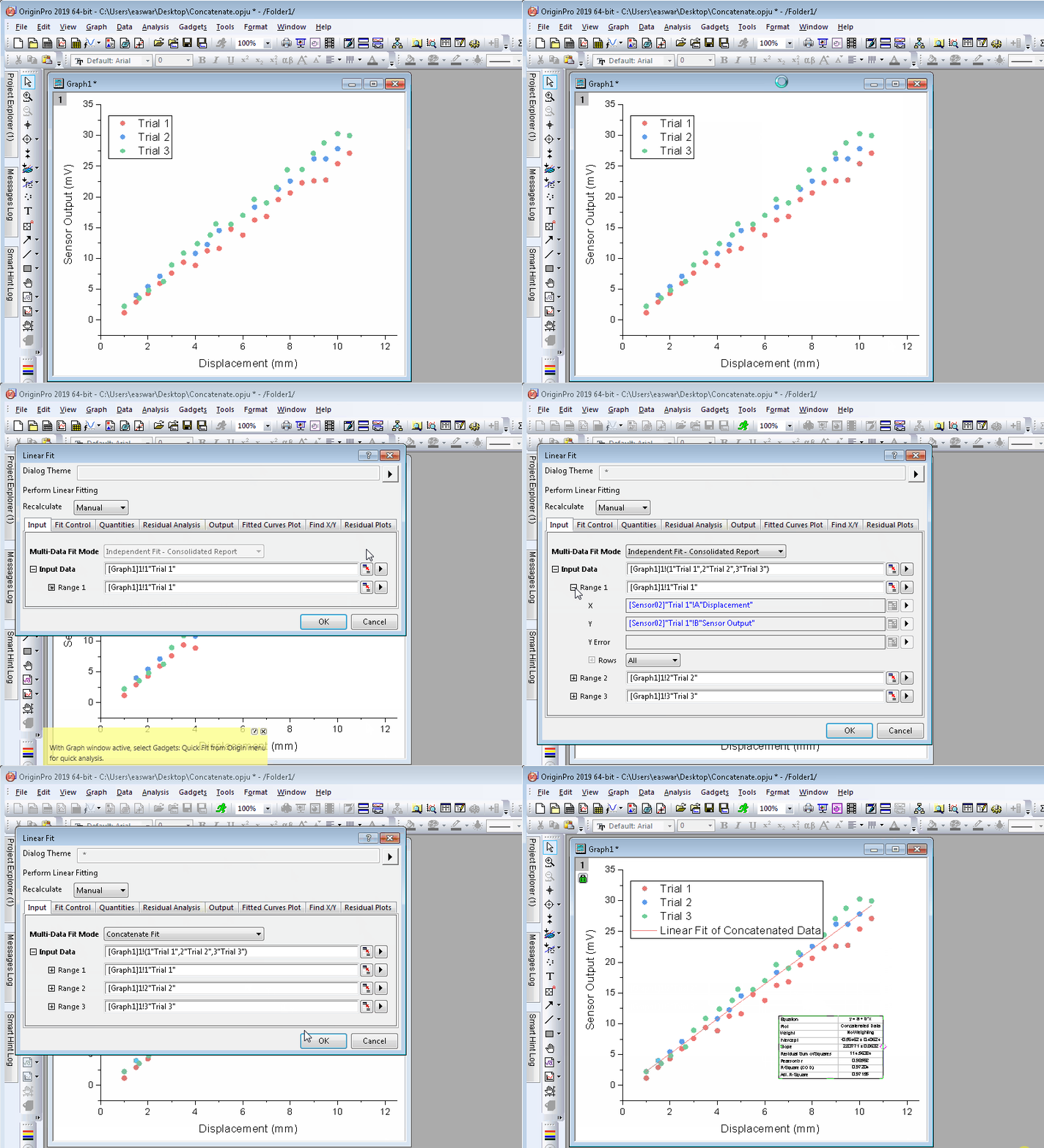
Similar options are available in the Settings Tab of the NLFit tool.
With NLFit, you also have the option of performing Global Fit of multiple data plots with parameter sharing.
Keywords:combine, plots, data, nonlinear, fitting, regression, multiple datasets, multiple
- FAQ-976 Why does my Analysis Template file keep getting bigger?
- FAQ-222 What is the difference between global fit and independent fit?
- FAQ-223 How do I set the same bounds to parameters when fitting multiple datasets?
- FAQ-224 How to use the parameter values from the last fit as the new starting values
- FAQ-225 How do I fit all curves in my layer or graph?
- FAQ-226 How do I fit a part of the data plot in my graph?
- FAQ-228 How do I force my fit curve to go through a point?
- FAQ-231 How do I know if my fit result is good?
- FAQ-232 How to identify the outliers in linear fit?
- FAQ-233 How to find a slope on the log-log plot?