1.295 FAQ-1185 如何在刻度标签和数据标签中显示图像?
Last Update: 4/17/2024
有时,您可能想要在 2D 图形的坐标轴刻度标签或者数据标签中显示图像。
情况 1:当您已经在工作表的列中插入图像时
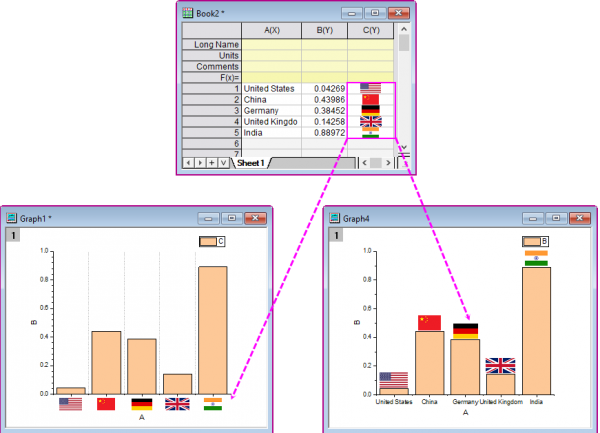
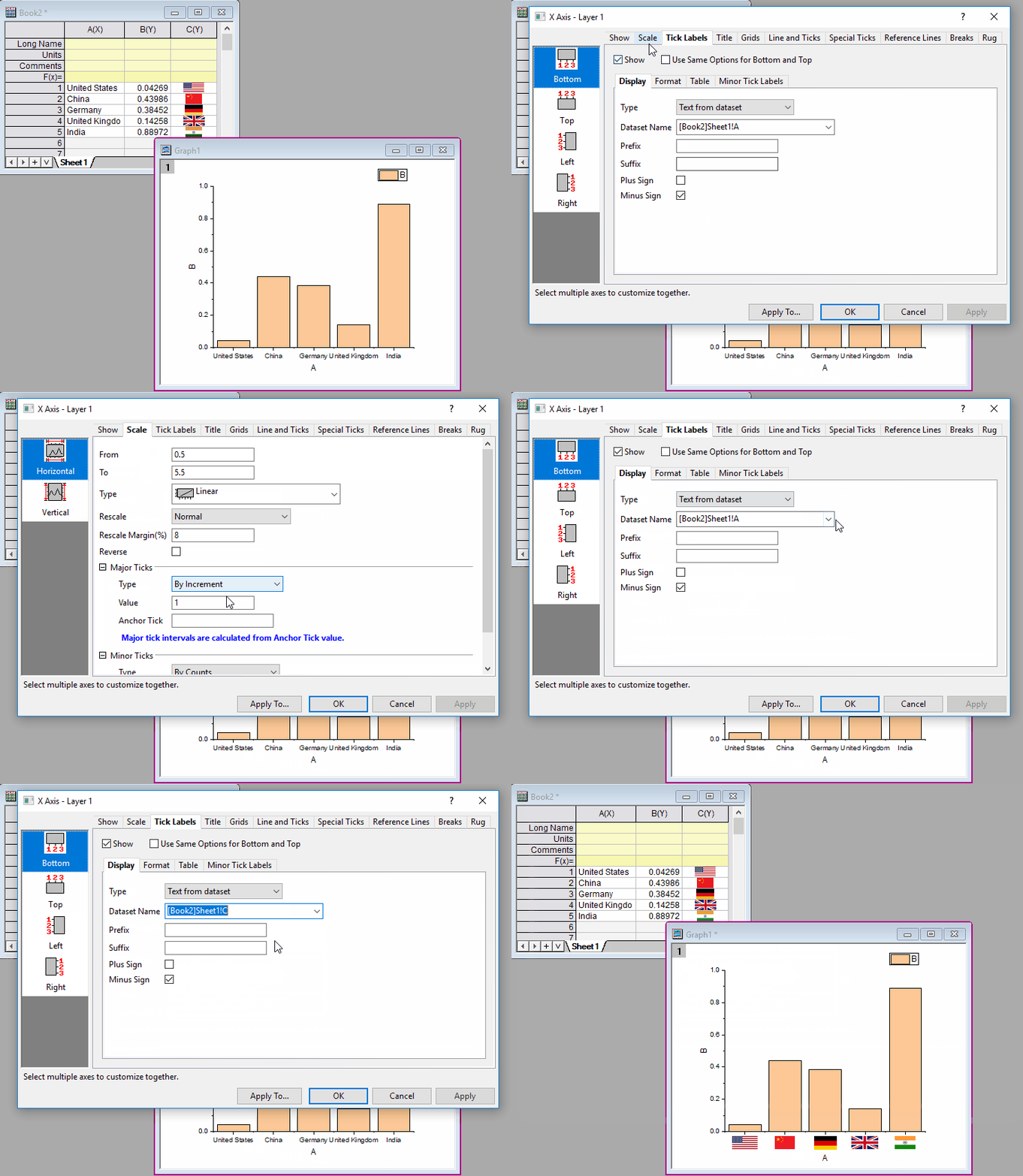
要在坐标轴刻度标签中显示图像:
要在数据标签中显示图像:
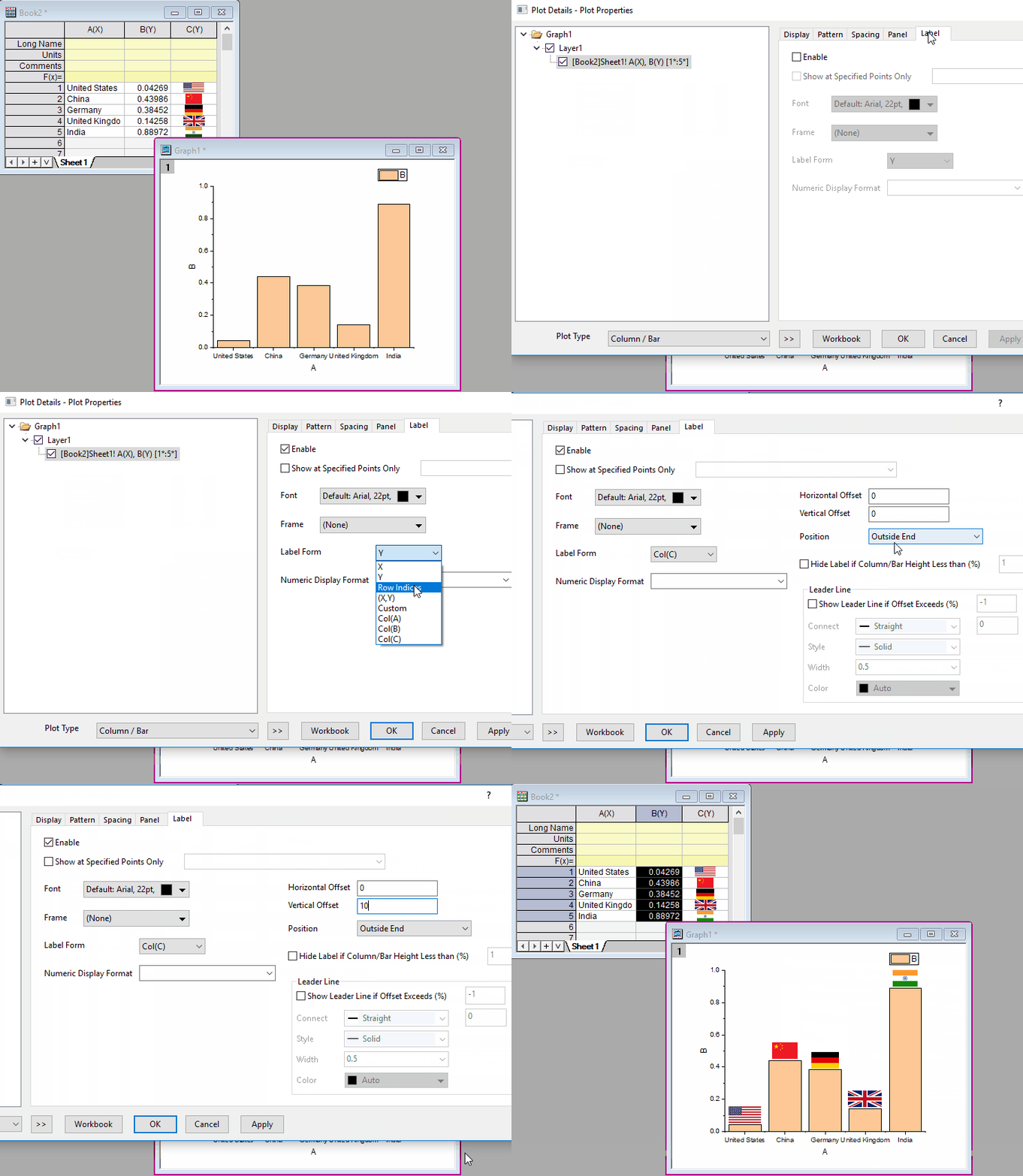
 | 您还可以将嵌入的图像显示为标注: |
情况 2:当您已经将图像插入到列的标签行中时:
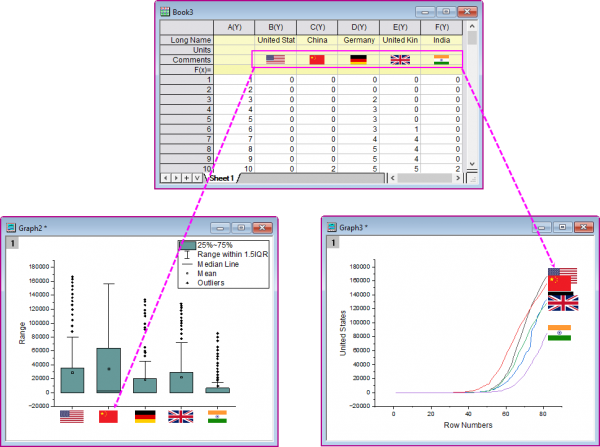
要在坐标轴刻度标签中显示图像:
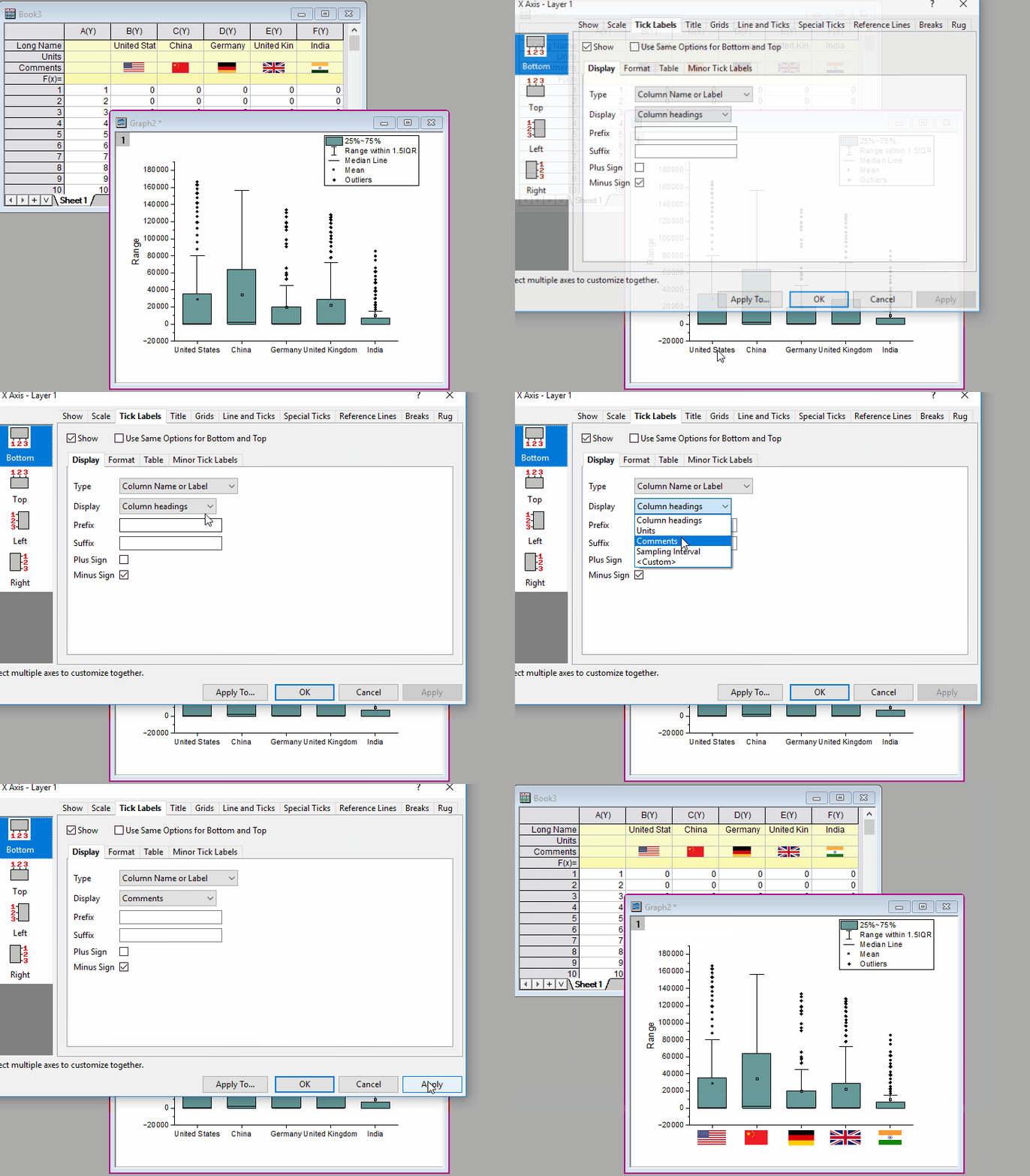
要在数据标签中显示图像:
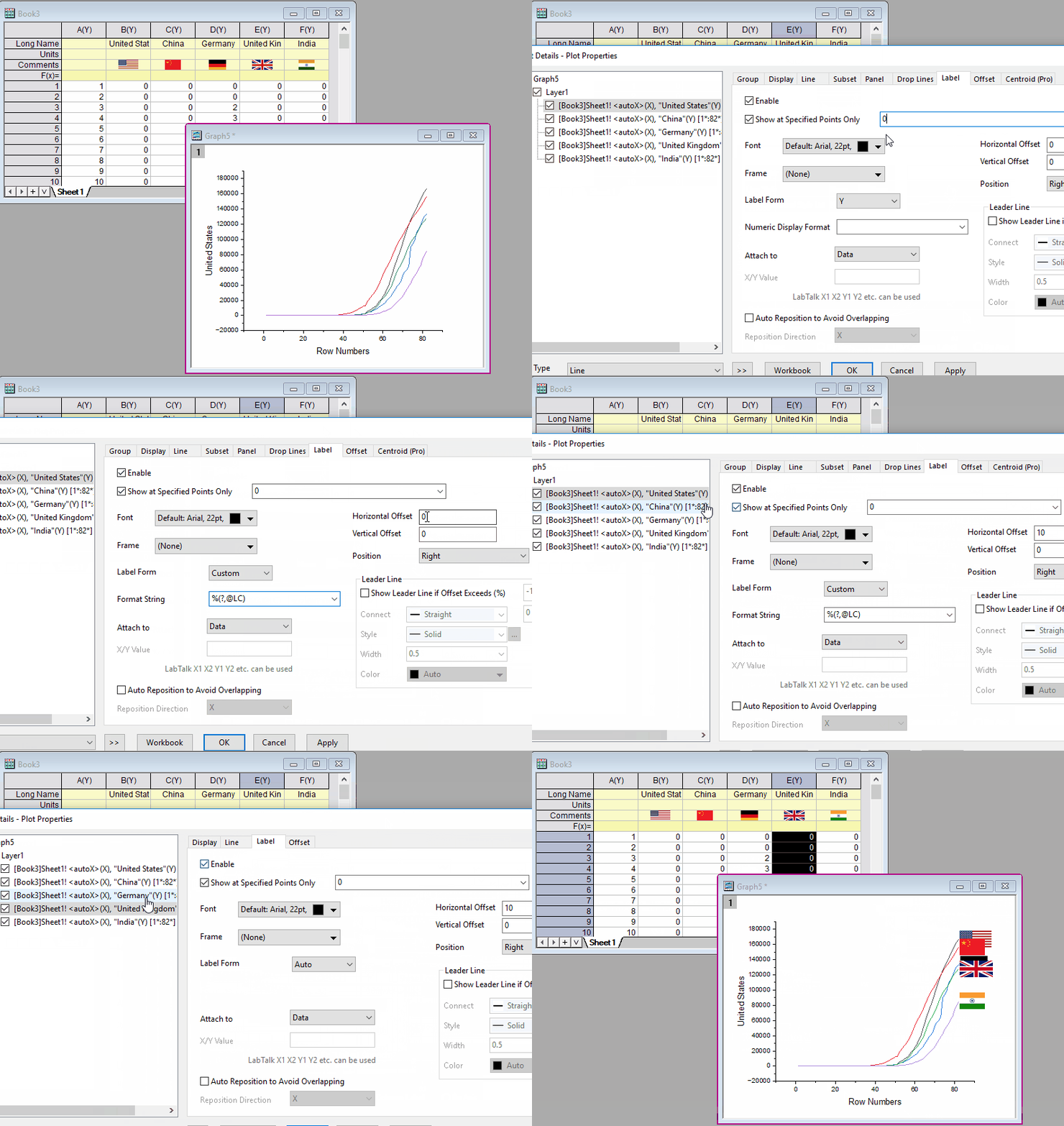
注: 系统变量 "@WCSF" 控制着图像高度和字体高度的比率。该变量的默认值为 2。您可以通过改变它的值来调整插入图像的高度。
Keywords:image label, image data label, insert image, image as label