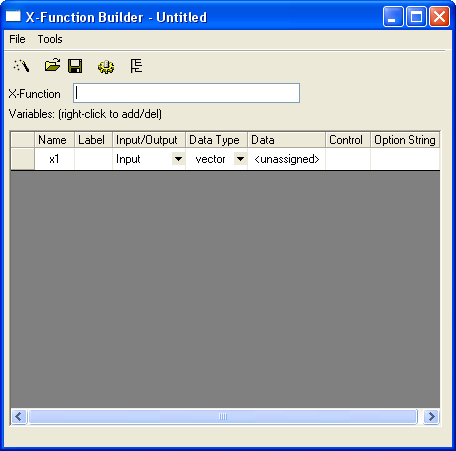
The X-Function Builder dialog box (see the picture below) is used for creating and editing of X-Functions -- both system and user-defined. It is opened from the menu ().
The X-Function Builder dialog box offers two views: the standard view and Tree View. The standard view allows you to name the X-Function and to edit the X-Function variables, but Tree View provides access to a wider range of X-Function properties. You can switch between these two views by clicking the Tree View button  at the top of the dialog box.
There are two menus in this dialog box: the menu and the menu. The File menu is for creating, opening and saving X-Functions. It also provides shortcuts to the most recently opened X-Functions. The Tools menu can be used for switching between the two views and for opening the current X-Function in the Code Builder workspace. The dialog box toolbar is available in both views.
|
Topics covered in this section: |