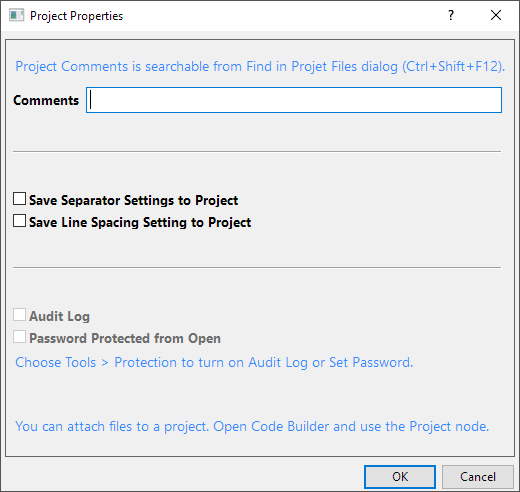
Use the Project Properties dialog to save certain settings with the project file.
To open the Project Properties dialog:
or
| Comments |
Enter a comment for the current project file. Project Comments is searchable from Find in Project File dialog. |
|---|---|
| Save Separator Settings to Project |
Enable to save the current Separators list option (Preferences: Options: Numeric Format) to the project. While the project is open in Origin, this option will show in Preferences. Once the project is closed, Preferences reverts to the user-specified Separators option. |
| Save Line Spacing Setting to Project |
Enable to save the current Line Spacing list option (Preferences: Options: Text Fonts) to the project. While the project is open in Origin, this option will show in Preferences. Once the project is closed, Preferences reverts to the user-specified Line Spacing option. |
| Audit Log |
Read-only control that serves only to notify the user that the Audit Log has been enabled for the project. Audit Log must be enabled or disabled via Tools: Protection. |
| Password Protected from Open |
Read-only control that serves only to notify the user that the project is password protected. Password protection must be managed via Tools: Protection. |
 | You can attach files to a project. Open Code Builder and Add Files to the Project folder. |