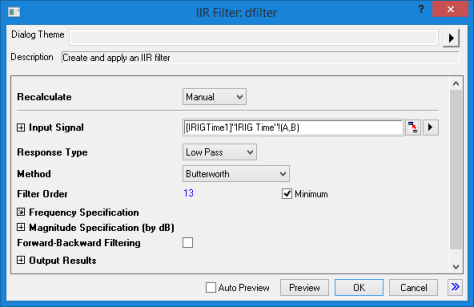
| Dialog Theme | See Dialog Themes. |
|---|
| Recalculate | |
|---|---|
| Input Signal |
Specify the input signal. See Specifying Your Input Data. |
| Response Type |
|
| Method |
Specify the filter design method.
|
| Filter Order |
If the Minimum check-box is checked, Origin will calculate the order. If unchecked, specify an integer value as the filter order. |
| Frequency Specification |
Specify the frequency specification for designing the IIR filter.
|
| Magnitude Specification (by dB) |
Specify the magnitude specification, the unit will be dB.
|
| Forward-Backward Filtering |
Perform both forward and backward filtering on the input signal. |
| Output Results |
Specify the output results, including designed filter and the filtered signal. See Output Results.
|
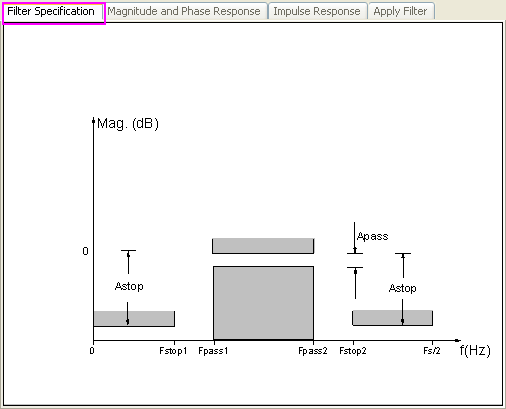
Filter Specification
When change the Response Type, Method, Filter Order, or Unit, this preview will be changed accordingly, so to make it easy to see the filter specification for designing the IIR filter.
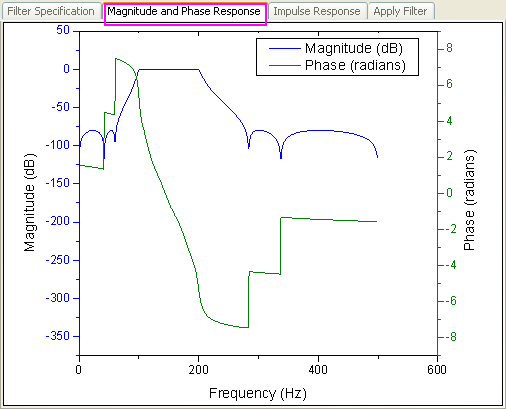
Magnitude and Phase Response
Impulse Response
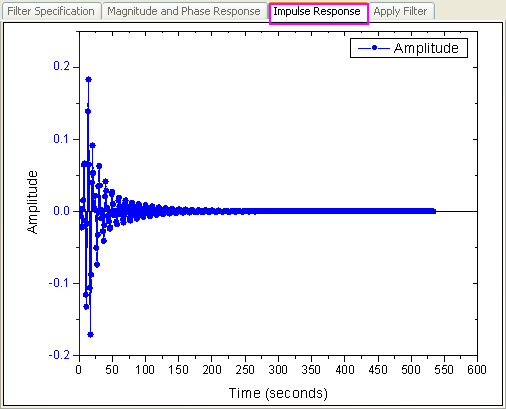
Apply Filter
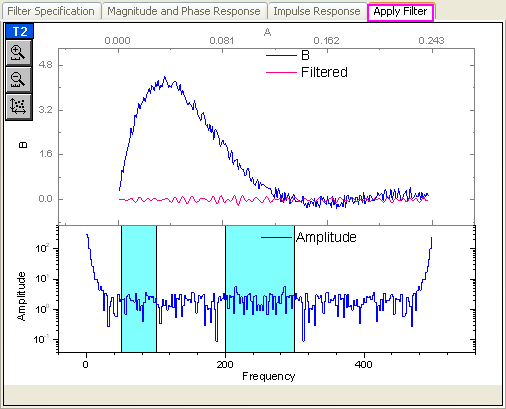
This preview tab shows the results after using the designed IIR filter on the original signal. The upper plot shows the original signal and the filtered signal. And the lower plot shows the frequency distribution. It also allows to specify the filtering frequency manually in the lower plot by dragging the vertical lines.