2.53 2D Peak Analysis(Pro)
Contents
Summary
The App 2D Peak Analysis is used to perform 2d peak fitting, and integrate each peak fitted data.
Tutorial
- Download the sample file and unzip the file to get one Origin matrix book file(.ogmu file).
- Start this tutorial with the app 2D Peak Analysis installed. If you have not installed this app, please click Add Apps button in Apps Gallery to open App Center to search and install the app.
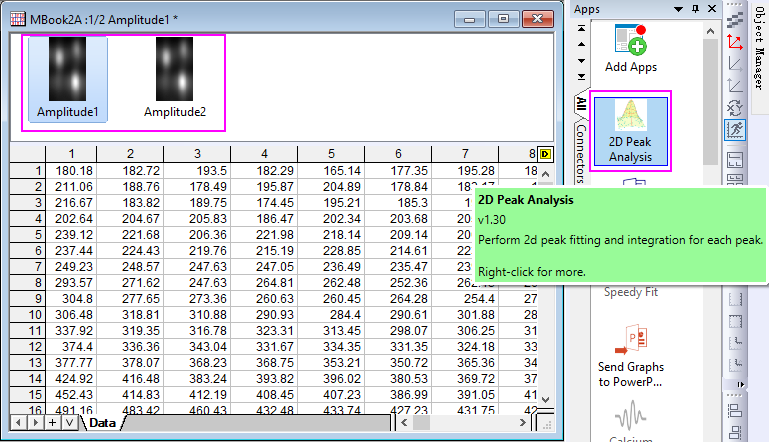
- Open the ogmu file you just downloaded, in this matrix book, there are two matrix objects, and the first object has been selected. Click the app icon to open the dialog.
- In the dialog, select function "Gaussian2D" as Peak Type; Set Number of Replicas to 2; select Minimum for Baseline option.
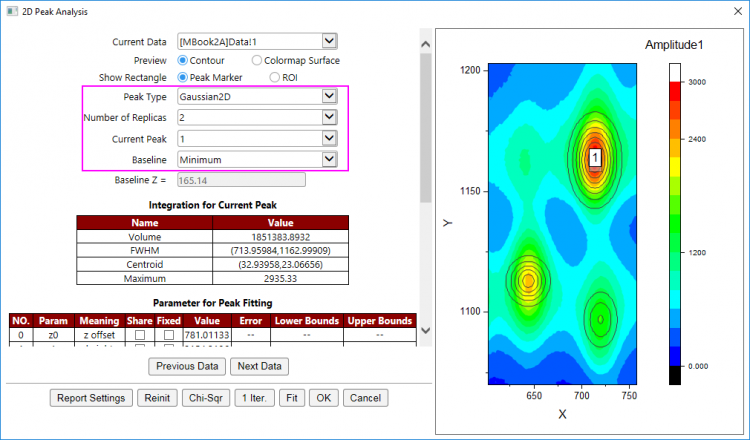
- As you can see, three peaks have been found and marked in the right Preview panel. The integration results of current peak (the peak you selected in Current Peak drop-down list) has been shown under the dialog controls, and the parameter results has been shown in the following table.
- Click the button Report Settings at the bottom of dialog to specify the output result items.
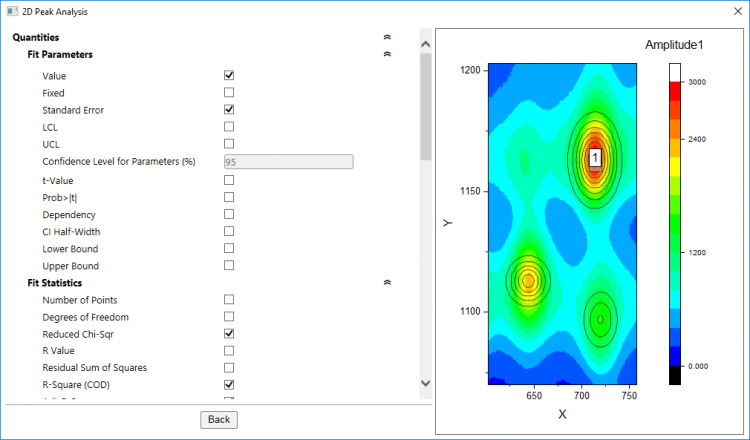
- For more details about these results, you can refer to NLFit Dialog and 2D Integration Gadget.
- Click Back buttont to go back to the main dialog panel.
- Click Fit button to fit these surface peaks. A message shown at the bottom says the fit has converged. Please note, if you want to check the fit status of the other source objects, you use the Previous Data and Next Data button to navigate the matrix objects in the source matrix sheet.
- Click OK button to output the fitting results.
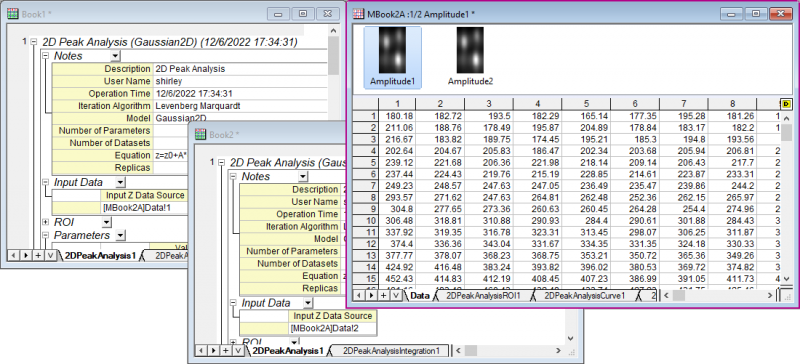
- Each source object will has a report workbook and three result matrix sheets appended to the source matrix book.