2.116 FAQ-1052 Origin worksheets used to display truncated content as ### pound signs. What changed?
Worksheet-Display-Pound-Signs-When-Truncated
Last Update: 4/16/2020
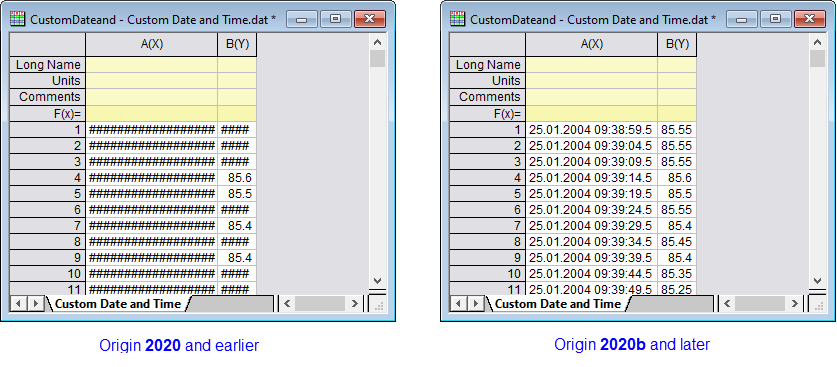
Prior to Origin 2020b, if the sequence of characters in a sheet cell exceeded what could be displayed at the current cell (column) width, Origin represented cell contents as a series of pound signs (######). This has changed to mimic MS Excel's worksheet behavior:
- Text strings will not trigger display of pound signs ###### regardless of column width. To view the full string, you must increase column width.
- Numeric values that exceed column width will first be rounded to the nearest decimal and only if that is not sufficient to display the full integer value, will pound signs ###### display in place of the numeric value.
- This rounding of numeric values affects the displayed value only. The internally-stored value does not change.
- To restore the old behavior of displaying pound signs ###### whenever cell contents were not fully displayed, set system variable @WPE = 1. For information on changing the value of a system variable, see this FAQ.
Keywords:numeric, numbers, shorten, chopped, cell width, column width, ellipsis