5.29 FAQ-708 How do I permanently change the value of a system variable?
permanent-change-system-variable-value
Last Update: 1/24/2024
You can change the value of a LabTalk ("@") system variable by clicking Preferences: System Variables and entering the Variable and an allowed Value into the dialog box. Optionally, add a Comment to remind you what the "@" variable controls.
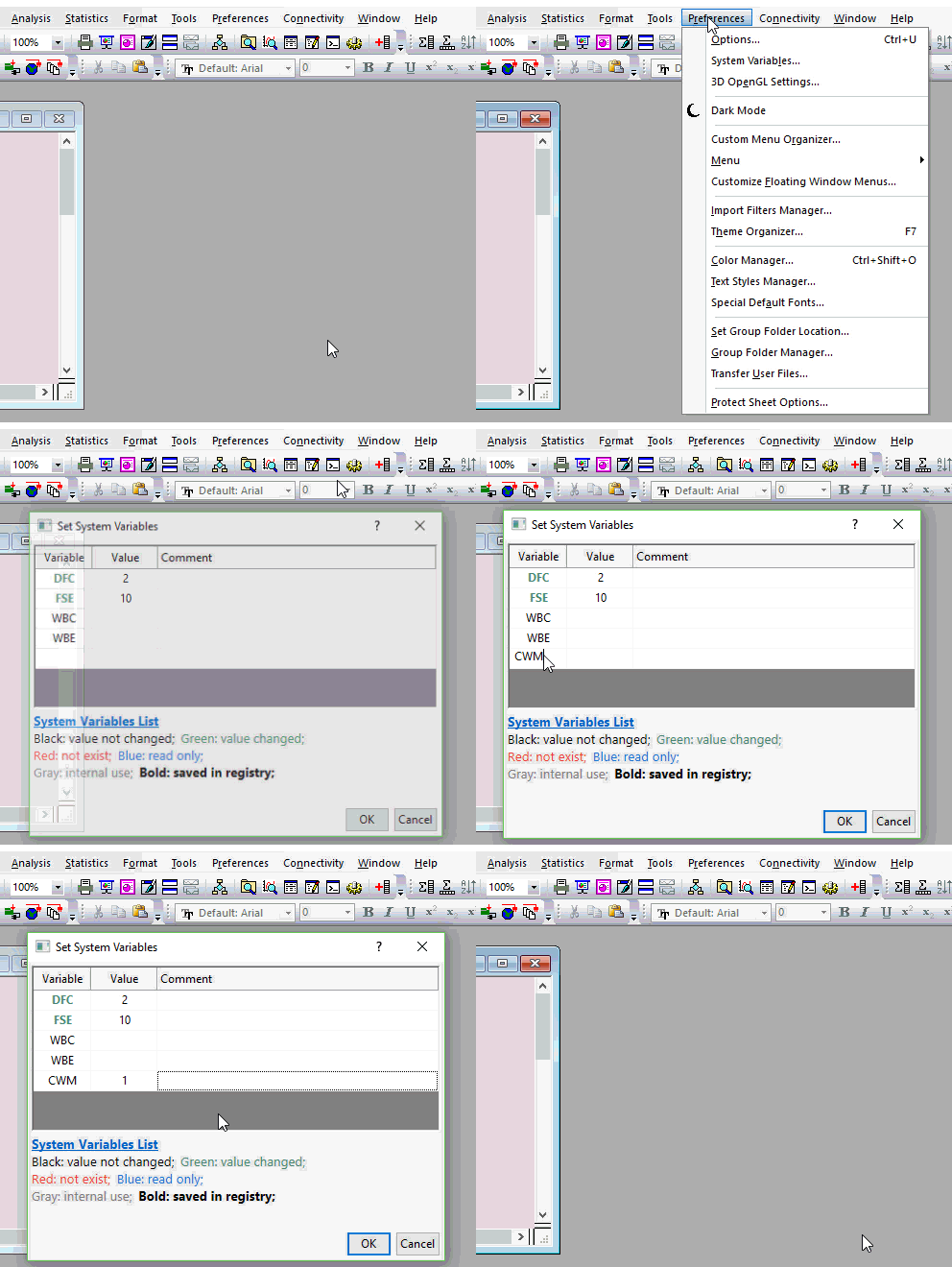
Notes:
- When adding a system variable to this dialog, you do NOT precede the variable with the "@" character.
- The variable name is not case-sensitive.
- Variable names are color-coded and/or bolded by type.
- To restore a system variable to its default value, (a) right-click on the variable in Set System Variables and choose Delete or (b) enter the default value into Value.
- For more information on managing system variables and the behaviors that they control, see System Variable List > Introduction.
|
Keywords:System Variable, "@" Variable, Set System Variables, session, system, variables