Last Update: 2/5/2020
Leader lines are used to connect a data label and plot symbol. They allow you the flexibility to nudge data labels around to prevent overlap or over-crowding of labels.
Origin has several leader line connection styles including Polyline-Horz, Polyline-Vert, Step-Horz and Step-Vert and how these connection styles work, is documented here.
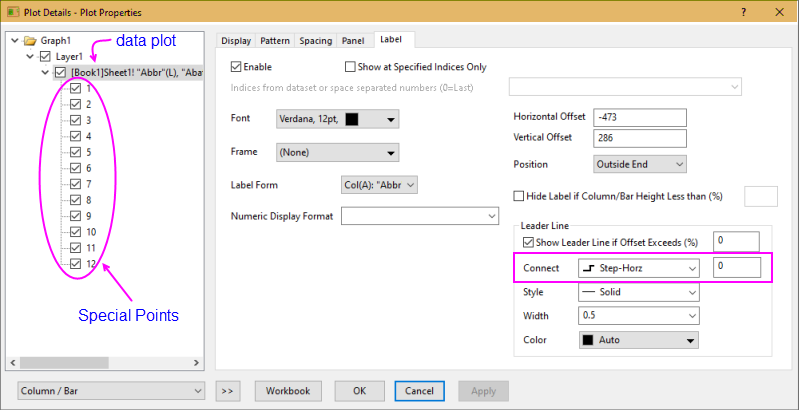
What may not be intuitive is how to create an "L-shaped" leader line and to do that, you do the following:
The bottom line is that by setting one or more labels as special points, you can have "L-shaped" connections for some data labels, straight connections for some, and polyline-vertical for others.
Keywords:connecting line, special point, Polyline-Horz, Polyline-Vert, Step-Horz, Step-Vert, offset, overlap, crowded