2.8.35 xyzarea(Pro)
Contents
Menu Information
Analysis: Mathematics: XYZ Surface Area
Brief Information
Calculate surface area of XYZ data
Additional Information
This feature is for OriginPro only, 8.1 SR0.
Command Line Usage
xyzarea iz:=col(c) area:=area;
X-Function Execution Options
Please refer to the page for additional option switches when accessing the x-function from script
Variables
| Display Name |
Variable Name |
I/O and Type |
Default Value |
Description |
|---|---|---|---|---|
| Input Data | iz |
Input XYZRange |
|
Specify the input XYZ range for area calculation. |
| area | area |
Output double |
|
Specify where to output the area result. The output result is always put into the Results Log window. |
Description
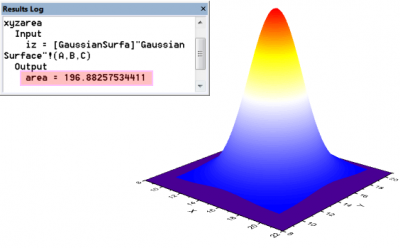
This X-Function is used to calculate the area of the input XYZ surface. You can specify a variable for the result area. Also, the result area will be always put to the Results Log Window automatically.
Examples
This example is going to calculate the area of the input XYZ data range.
- Create a new project and import data <Origin Program Directory>\Samples\Matrix Conversion and Gridding\3D XYZ.dat.
- Highlight Column C, Change the type of Column C to be Z by selecting the right-click menu Set As: Z.
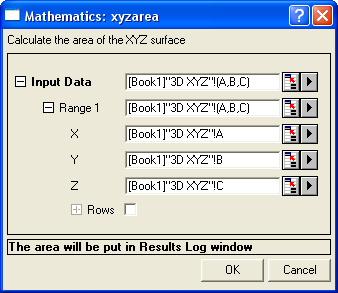
- Keep Column C selected, run
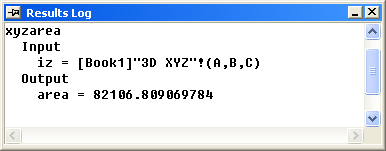
xyzarea -d;in Command Window to bring up the xyzarea dialog box. - Click the OK button, then the area of the input data is put to Results Log Window.
Algorithm
In three dimensions Cartesian space, the area of a general triangle \(A = (x_A, y_A, z_A), B = (x_B, y_B, z_B), C = (x_C, y_C, z_C)\) is
- \(S=\frac{1}{2} \sqrt{ \left( \det\begin{pmatrix} x_A & x_B & x_C \\ y_A & y_B & y_C \\ 1 & 1 & 1 \end{pmatrix} \right)^2 + \left( \det\begin{pmatrix} y_A & y_B & y_C \\ z_A & z_B & z_C \\ 1 & 1 & 1 \end{pmatrix} \right)^2 + \left( \det\begin{pmatrix} z_A & z_B & z_C \\ x_A & x_B & x_C \\ 1 & 1 & 1 \end{pmatrix} \right)^2 }\).
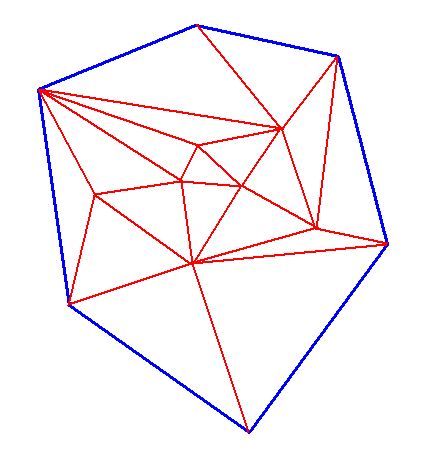
To calculate the area of XYZ data, triangulation performance (like picture shown below) is going first, then the area of XYZ data is the sum of the area of every resulting triangle.