2.7.62 impSPC
Contents
Menu Information
Data: Import from File: Thermo (SPC, CGM)
If you do not see this file type, choose Data: Import from File: Add/Remove File Types...
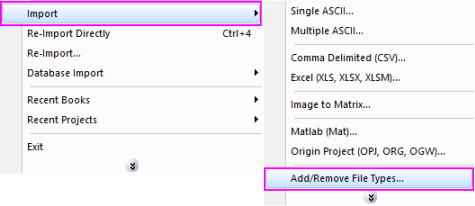
 | To add drag & drop support for a file type, see Import Filter Manager. |
This X-Function supports file re-import. See this topic for details.
Brief Information
Import Thermo File
Command Line Usage
impSPC fname:="c:\test.spc";
X-Function Execution Options
Please refer to the page for additional option switches when accessing the x-function from script
Variables
| Display Name |
Variable Name |
I/O and Type |
Default Value |
Description |
|---|---|---|---|---|
| File Name | fname |
Input string |
|
Filename of the file to be imported. |
| File Info | trfiles |
Input TreeNode |
|
This is used in the dialog for displaying the basic information of the file. |
| Rename Column Short Name with Custom Label | sname |
Input int |
|
Whether rename column Short Name with Custom Label, true means rename and false means not
Note that from Origin 2017 column Short Name is restricted to alphabetical order and it cannot be edited by default. If you want to rename column Short Names on file import, you will need to go to the target workbook, uncheck the Spreadsheet Cell Notation checkbox in the Properties tab of Window Properties dialog. This will allow overwrite of column Short Name on import. |
| Import Options | options |
Input TreeNode |
|
This is used to tweak the import options in the dialog. Please see the Description part of this document for details. |
| Output | orng |
Output Range |
|
This is used to specify the output range.
See the syntax here. |
| Header Info | trheader |
Output TreeNode |
|
This is for outputting the header information. It is hidden from the GUI. Users are not advised to use this variable. |
| Repeat Import | reimp |
Input int |
|
Specifies whether or not reimport is allowed. |
Description
This X-Function is used for importing Thermo data files.
Details on Some Dialog Options
- Import Options(options)
- Please see this page for more details.
Examples
- The following example imports a SPC file into a new book and renames the book with the filename:
- a. From the Origin menu, select Data: Import from File: Thermo (SPC, CGM). This opens the Import Thermo Galactic File dialog for you to choose the import file.
- b. Browse to the folder where your data file is. Select the file and click the Add File(s) button. Click OK to close the dialog box.
- c. In the impSPC dialog box, expand Import Options. Select Start new books for Import Mode. Make sure that Rename book with (partial) filename is checked and Trim filename from and Trim filename to textboxes below it are 1 and 0, respectively. Click Ok to close the dialog.
- The following script command imports a SPC file (c:\test.spc) without opening the dialog:
Fname$="c:\test.spc";
impSPC;