2.7.59 impPrism
Contents
Menu Information
Data: Import from File: Prism (PZFX, XML)
If you do not see this file type, choose Data: Import from File: Add/Remove File Types...
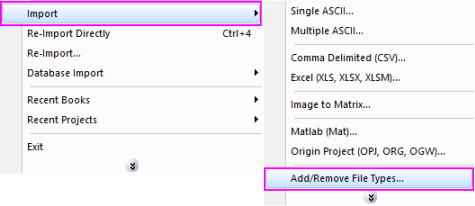
 | To add drag & drop support for a file type, see Import Filter Manager. |
Brief Information
Import GraphPad Prism file.
Additional Information
Minimum Origin Version Required: 8.5.1SR0
Command Line Usage
impPrism fname:="C:\test.pzfx";
X-Function Execution Options
Please refer to the page for additional option switches when accessing the x-function from script
Variables
| Display Name |
Variable Name |
I/O and Type |
Default Value |
Description |
|---|---|---|---|---|
| File Name | fname |
Input string |
|
Specify the filename(s) of the file(s) to be imported. In the dialog, click the Browse button beside the list box to open one or more files and the filenames will be listed in the box. |
| File Information | trfiles |
Input TreeNode |
|
This is used to show the file information. It allows to select which tables in the file to be imported. |
| Import Options | options |
Input TreeNode |
|
This is used to set the import options in the dialog. See options for details. |
| Output | orng |
Output Range |
|
Output range of the imported data. |
Description
This X-Function is used for importing Prism (PZFX, XML) files.