2.7.55 impNITDM
Contents
Menu Information
Data: Import from File: NI TDM (TDM, TDMS)
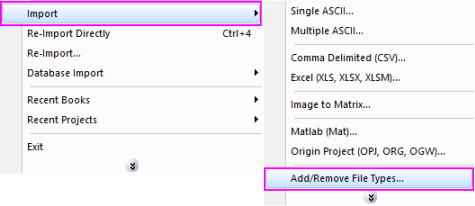
If you do not see this file type, choose Data: Import from File: Add/Remove File Types...
 | To add drag & drop support for a file type, see Import Filter Manager. |
This X-Function supports file re-import. See this topic for details.
Brief Information
Import National Instruments TDM and TDMS files(TDMS does not support data/time format)
Additional Information
Minimum Origin Version Required: 8 SR0, updated in 8.6 SR0
Command Line Usage
1. impNITDM fname:="c:\test.tdm" ;
2. impNITDM fname:="c:\test.tdm" options.importToSameSheet:=1;
3. impNITDM fname:="c:\Data1.tdm" options.bStructureOnly:=1;
X-Function Execution Options
Please refer to the page for additional option switches when accessing the x-function from script
Variables
| Display Name |
Variable Name |
I/O and Type |
Default Value |
Description |
|---|---|---|---|---|
| File Name | fname |
Input string |
|
Name of the file to be imported. |
| File Info And Data Selection | trfiles |
Input TreeNode |
|
This is used to show the information of the imported file, and also allows you to select the data to import. |
| Import Options | options |
Input TreeNode |
|
Specify import settings, including where to import the custom properties of a channel, whether to import all data channels to the same worksheet, and whether to import the structure only. Options:
|
| Output | orng |
Output Range |
|
This is used to specify the output range. See the syntax of Output Notations. |
| Header Info | trheader |
Output TreeNode |
|
For outputting header information. This is hidden from the GUI. Use of this variable is not supported. |
| Repeat Import | reimp |
Input int |
|
For repeat import. Use of this variable is not supported.
|
Description
This X-Function is used for importing NI TDM data files generated by NI DIAdem Version 10.0. It allows you to import the structure of a file, and then separately re-import selected data using the reimport X-Function.
Examples
- In this example, we will import NI TDM data :
- The following script command imports an NI TDM file (c:\test.tdm) without opening the dialog:
a. From the Origin menu, select Data: Import from File: NI TDM (TDM, TDMS). This opens the TDMFiles dialog, allowing you to choose the import file.
b. Browse to the folder containing your data file is. Select the file and click the Add File(s) button. Click OK to close the dialog box.
c. In the impNITDM dialog box, Select the groups and channels you want by selecting the check-boxes to the right of them. Click OK to close the dialog.
Fname$="c:\test.tdm";
impNITDM;