2.7.29 impCDF
Contents
Menu Information
Data: Import from File: CDF (CDF)
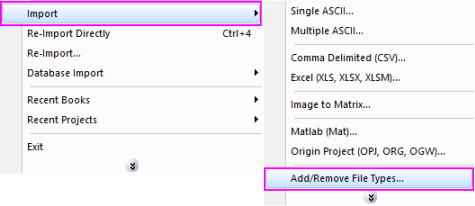
If you do not see this file type, choose Data: Import from File: Add/Remove File Types...
 | To add drag & drop support for a file type, see Import Filter Manager. |
Brief Information
Import CDF file up to version 3.9.0
Command Line Usage
impCDF fname:="test.cdf";
X-Function Execution Options
Please refer to the page for additional option switches when accessing the x-function from script
Variables
| Display Name |
Variable Name |
I/O and Type |
Default Value |
Description |
|---|---|---|---|---|
| File Name | fname |
Input string |
|
Specify the filename(s) of the file(s) to be imported. In the dialog, click the browse button beside the list box to open one or more files and the filenames will be listed in the box. |
| File Info And Data Selection | trfiles |
Input TreeNode |
|
This is used to select the desired data channels. See Description part of this document for details. |
| Output | orng |
Output Range |
|
Specifies the range for the imported data.
See the syntax here. |
| Header Info | trheader |
Output TreeNode |
|
This is for outputting the header information, which is hidden from the GUI. Users are not advised to use this variable. |
| Import Options | trFilter |
Input TreeNode |
|
This is the TreeNode for the import filter, which is hidden from the GUI. Users are not advised to use this variable. |
Description
The Common Data Format (CDF) is a scientific data management package (known as the "CDF Library") for storing, managing and manipulating scalar, vector, and multi-dimensional data arrays. CDF files which are created on any platform can be transported to any other platform. The basic component of CDF is a software programming interface which is a device-independent view of the CDF data model.
This X-Function is used for importing CDF files whose version is lower than 3.0 to Origin.
Details on Some Dialog Options
- File Info And Data Selection (trfiles)
- This variable is a treenode. It shows file information and allows you to choose the channels to import. The name of each sub-treenode is the name of the corresponding file. Under each sub-treenode, the file size and any available data are listed. The data are sorted by dimensions.
- Save File Info. in Workbook (bSaveFileInfo)
- This variable is a checkbox. If not selected, the file information will not be saved in Organizer and the reimport will not work, but the import speed can be improved.
Example
Suppose you have a file c:\data\cdf\testx.cdf and you want to import it into Origin. You can perform the following steps:
- Create a new matrix by clicking the
 button on the Standard toolbar. Select Data: Import from File: CDF from the main menu. The Open dialog should be opened.
 - Select the file and click the Add button to add the file into the bottom panel. Select the Show Options Dialog check box and click then OK button to open the impCDF dialog box.
- Click OK to accept the default options so as to import the data into Origin.

