2.6.4.8 imgRGBmerge(Pro)
Contents
Menu Information
Image: Conversion: RGB Merge
Brief Information
Merge RGB channel matrices to form a color image matrix
Additional Information
This feature is for OriginPro only.
Command Line Usage
1.imgRGBmerge r:=[Red]Msheet1 g:=[Green]Msheet1 b:=[Blue]Msheet1
X-Function Execution Options
Please refer to the page for additional option switches when accessing the x-function from script
Variables
| Display Name |
Variable Name |
I/O and Type |
Default Value |
Description |
|---|---|---|---|---|
| Source Image of Red | r |
Input Image |
|
Specifies the input image used as the red channel. |
| Source Image of Green | g |
Input Image |
|
Specifies the input image used as the green channel. |
| Source Image of Blue | b |
Input Image |
|
Specifies the input image used as the blue channel. |
| Output Image | oimg |
Output Image |
|
Specifies the output image. By default, a new image is created and used as output. See the syntax here. |
Description
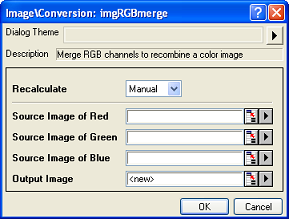
The imgRGBmerge function merges the Red, Green and Blue channels to recombine a color image.
Examples
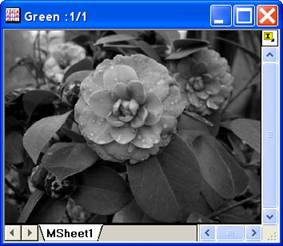
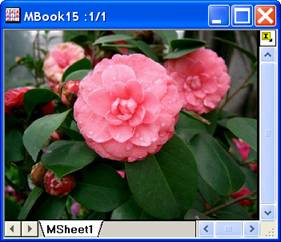
In this example, we use the imgRGBmerge function to recombine a color image from its RGB channels (the channel images are named Red, Green and Blue):
- Select Image: Conversion: RGB Merge. This opens the dialog of the X-Function.
- In the X-Function dialog, choose the images for the red, green and blue channels and click OK to close the dialog.
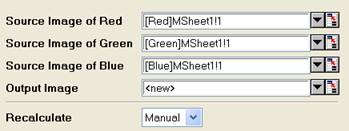
A new image is created. It is the recombined color image.
Input Image
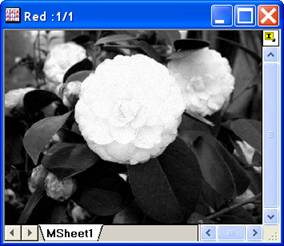
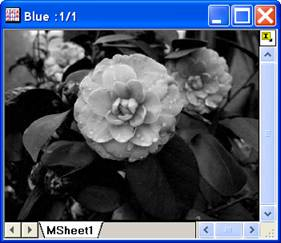
Red channel image
Green channel image
Blue channel image
Output image
Algorithm
In Origin, any pixel of a color image is represented by its red, green and blue components. To recombine an image from its red, green and blue channels, we just need to take each component from the color channels and combine them.