2.6.1.1 imgAutoLevel
Contents
Menu Information
Image: Adjustments: Auto Level
Brief Information
Apply auto leveling to image
Command Line Usage
1. imgAutoLevel auto:=intensity;
2. imgAutoLevel img:=[Mbook1]Msheet1!Mat(1) auto:=contrast oimg:=<new>;
X-Function Execution Options
Please refer to the page for additional option switches when accessing the x-function from script
Variables
| Display Name |
Variable Name |
I/O and Type |
Default Value |
Description |
|---|---|---|---|---|
| Input Matrix | img |
Input Image |
|
Specifies the image to be manipulated and the default input is the active image. |
| Auto Level | auto |
Input int |
|
Specifies the leveling method.
|
| Output Image | oimg |
Output Image |
|
Specifies the output image. By default, it is the same as the input image. See the syntax here. |
| Level Report | cl |
Output ReportData |
|
Specifies the leveling report.
|
Description
The imgAutoLevel function applies auto-leveling to an image. It makes the dark values darker and the light values lighter. The function automatically enhances shadows and brightens image by 0.5%. It enhances the contrast and intensity by using the histogram of the image and a color distribution-based algorithm.
The imgLevel function can customize the percentage of white pixels and black pixels to clip from the input image to apply leveling to an image.
Examples
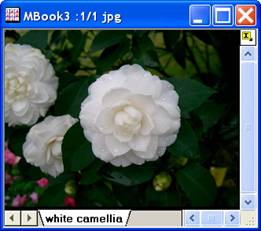
In this example, we use the imgAutoLevel function to increase the contrast of the input image:
When the input image is active, select Image: Adjustments: Auto Level: Contrast. The X-Function is applied and the image is altered. We can see that the contrast has been improved than before.
 |
 |
|
|
|
Algorithm
When auto-leveling is applied, 0.5% of the black pixels and 0.5% of the white pixels in the input image is clipped. The computation uses L_AutoColorLevelBitmap()from LEADTOOLS Main API. For more information, please refer to the LEADTOOLS Main API Help file, Version 14 and read the following topic: L_AutoColorLevelBitmap.
References
LEADTOOLS Main API Help file, Version 14