2.6.4.1 img2m
Contents
Menu Information
Image: Conversion: Convert to Data
Brief Information
Convert grayscale image to data matrix
Command Line Usage
1. img2m img:=mat(1) om:=mat(2) type:=byte;
2. img2m type:=byte;
X-Function Execution Options
Please refer to the page for additional option switches when accessing the x-function from script
Variables
| Display Name |
Variable Name |
I/O and Type |
Default Value |
Description |
|---|---|---|---|---|
| Input Matrix | img |
Input Image |
|
Specifies the source image to be manipulated. The default input is the active image. |
| Output Matrix | om |
Output MatrixObject |
|
Specifies the output image. By default, the output image is the same as the input image. See the syntax here. |
| Type | type |
Input int |
|
Specifies the data type of the output data.
|
Description
This img2m function converts the input image to a numeric data matrix. Note that if the input image is a color image, it will be first converted to a gray image, and then the gray image will be converted to a data matrix.
Examples
In this example, we use the img2m X-Function to convert the input image to a data matrix:
- When the input image is active, select Image: Conversion: Convert to Data. This opens the dialog of the X-Function.
- In the X-Function dialog, change the settings as the screenshot below and click OK to close the dialog.
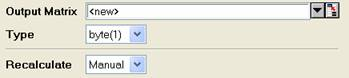
A new matrix is created.

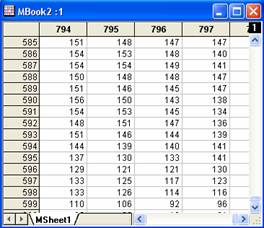
Input image Part of the output data