2.15.9 cvPalette
Contents
Brief Information
Apply specified palette colors to a gray or binary image to set a single-channel image
Additional Information
Minimum Origin Version Required: 2022
Command Line Usage
1. fname$ =system.path.program$ + "Palettes\Rainbow.PAL"; cvPalette;
X-Function Execution Options
Please refer to the page for additional option switches when accessing the x-function from script
Variables
| Display Name |
Variable Name |
I/O and Type |
Default Value |
Description |
|---|---|---|---|---|
| Input Image | img |
Input/Ouput ImageLayer |
|
Specify the input image. It is also the destination of the output image. |
| Palette File | fname |
Input string |
|
Select a palette. Refer to this page for how to add and manage color palettes in Origin. |
| Undo | undo |
Input int |
Obsolete since Origin 2024b, use XF switch "-u" instead. |
Description
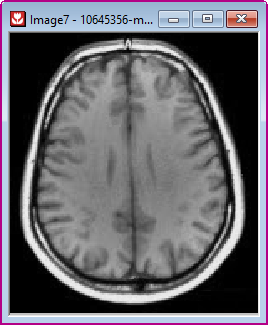
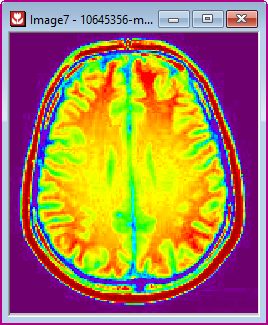
This function changes a gray or binary image into pseudo color image. The gray levels of the original image are mapped to different colors according to the specified palette file. Undo is supported.
See also img.Palette$ in LabTalk.
Examples
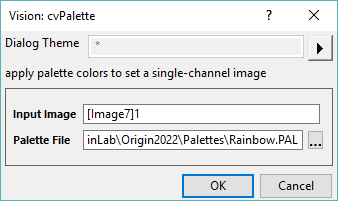
Example 1. Use Rainbow palette to color-mapping gray image
- With a gray image active, run
cvpalette -d;in the Command Window to open the dialog. - In the dialog, select palette Rainbow.PAL from <Origin program folder>\Palettes\. Click OK.
Result is shown below.
 |
 |
Algorithm
The computation uses function from OpenCV Main API. Please refer to the OpenCV Main API Help file, Version 2.4.11.0 and read imgproc. Image Processing topic.
References
Kenneth R.Castleman.1996. Digital Image Processing. Prentice Hall, Upper Saddle River, NJ, USA.