Univariate Spectral Density with Lag Window
Tutorial
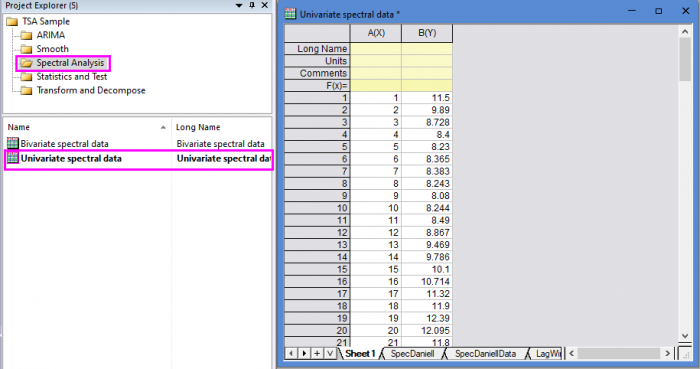
- Open the sample project file in Origin, go to Folder Spectral Analysis using the Project Explorer. Activate the workbook Univariate spectral data.
- Highlight column B in worksheet. Click the Time Series Analysis App icon
 in the Apps Gallery window.
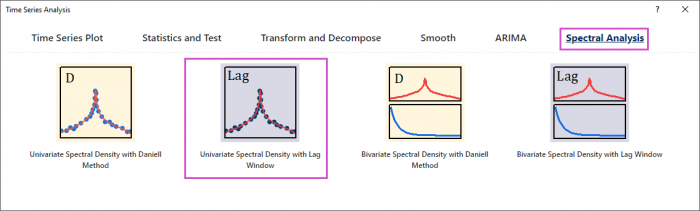
 - Choose Spectral Analysis tab. Click Univariate Spectral Density with Lag Window icon to open the dialog.
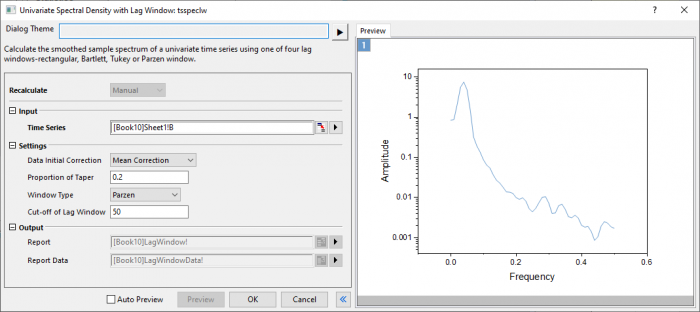
- In the Setting branch, choose Mean correction. Enter 0.2 in Tapering Proportion. Choose Parzen window type. Enter 50 in Cut-off of Lag Window.
- Click Preview button to display smoothed spectrum.
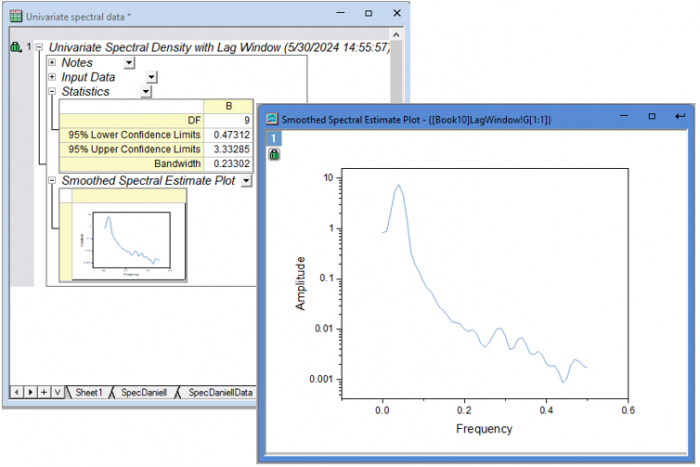
- Click OK button to output the report.
Algorithm
- Tapering factors
- \[\left\{\begin{array}{ll}\frac{1}{2}(1-cos(\frac{\pi(t-\frac{1}{2})}{T}))&1\leqslant t\leqslant T \cr\frac{1}{2}(1-cos(\frac{\pi(n-t+\frac{1}{2})}{T}))&n+1-T\leqslant t\leqslant n \cr1&Otherwise\end{array}\right.\]
- where \(T=[\frac{np}{2}]\) and \(p\) is the tapering proportion.
- Smoothed sample spectrum
- \[\hat{f}(\omega) = \frac{1}{2\pi}(C_0+2\sum_{k=1}^{M-1}\omega_kC_kcos(\omega_k))\]
- where \(M\) is the window width, and is calculated for frequency values
- \[\omega_i = \frac{2\pi i}{L},i=0,1...,[L/2]\]
- where [ ] denotes the integer part.
- Smoothing window
- \[\omega_k = W\frac{k}{M}, k\leqslant M-1\]
- which for the various windows is defined over \(0< \alpha < 1\) by
- rectangular: \(W(\alpha)=1\)
- Bartlett: \(W(\alpha)=1-\alpha\)
- Tukey: \(W(\alpha)=\frac{1}{2}(1+cos(\pi \alpha))\)
- Parzen:\(W(\alpha)=\left\{\begin{array}{ll}1-6\alpha^2+6\alpha^3&0\leqslant \alpha\leqslant \frac{1}{2} \cr2(1-\alpha)^3&\frac{1}{2}< \alpha <1\end{array}\right.\)
Reference