Tutorial for Box-Cox Transformation tool
Summary
This Box-Cox Transformation tool is supported in the Time Series Analysis App. It is used to perform Box-Cox transformation.
Tutorial
This tutorial uses App’s built-in sample project. To open this sample OPJU file:
- Right click the Time Series Analysis App icon
 in the Apps Gallery and choose Show Samples Folder.
- A folder will open. Drag-and-drop the project file TSA Sample.opju into Origin.
Box-Cox Transformation Tool
- Expand Project Explorer docked on the left. Select folder Transform and Decompose . The Book4 contains the sample dataset..
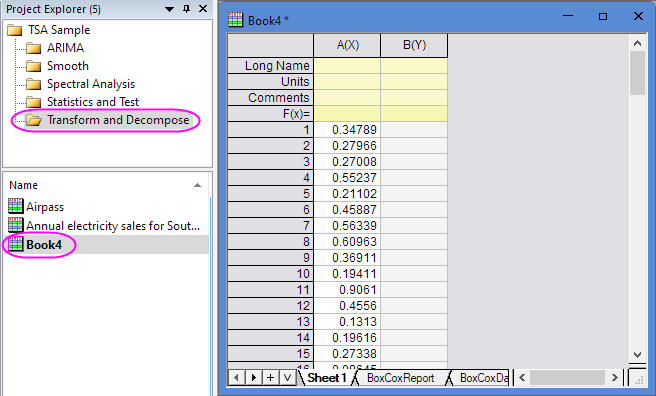
- Highlight Column A, and then click the Time Series Analysis App icon in the Apps Gallery.
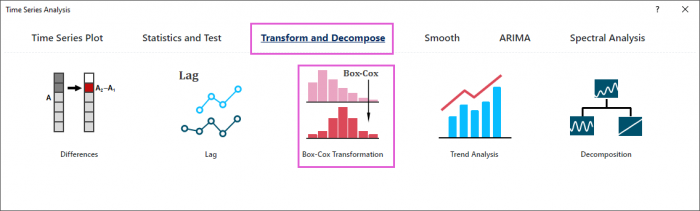
- In the dialog, select Transform and Decompose and Box-Cox Transformation tool.
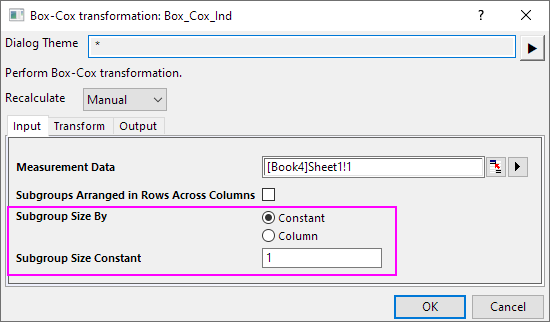
- Select Constant option for Subgroup Size By, and enter 1 in Subgroup Size Constant edit-box. Then click OK button.
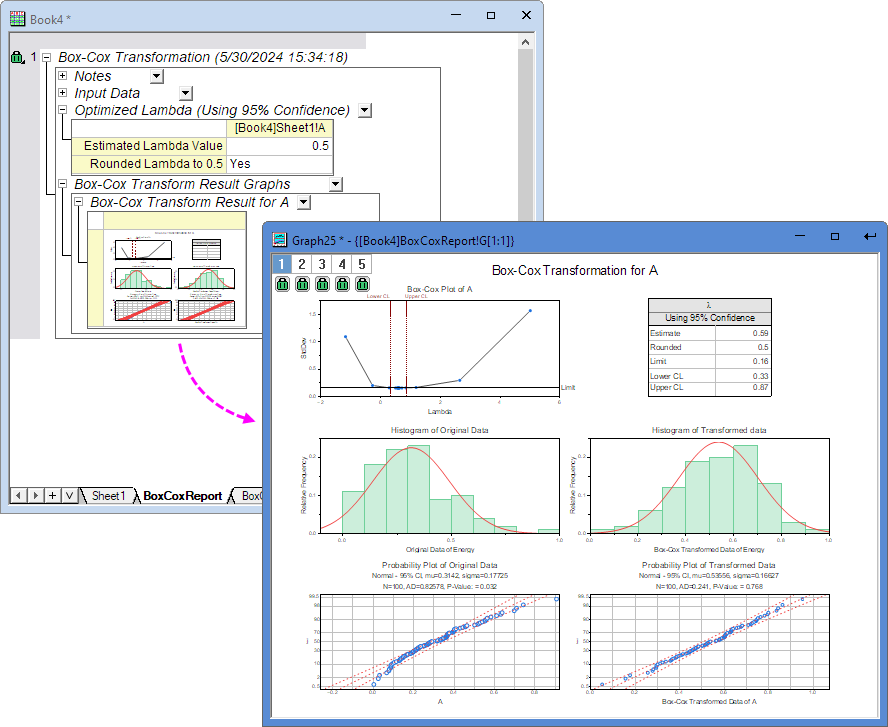
- Then you will get the report with Box-Cox Transformation for A graph.