Tutorial for Winter's Method (Smoothing)
Summary
This Winter's Method tool is supported in the Time Series Analysis App. It is suggested to smooth the time series with seasonality.
Notes for Starting
- Start this tutorial with the app Time Series Analysis installed. If you have not installed the app, see Apps for Origin to find and install the app.
 |
Topics for Further Reading: |
Steps in Origin
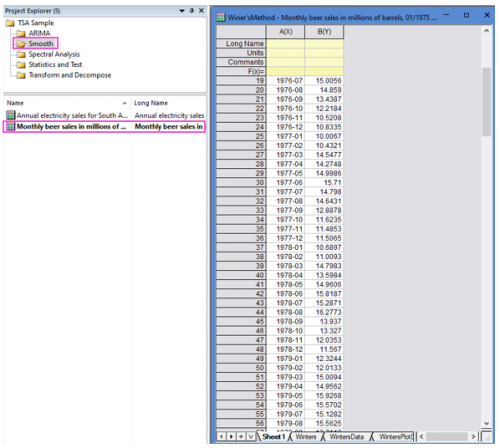
- Open the sample project file in Origin, go to Folder Smooth using the Project Explorer. Activate the workbook Monthly beer sales in millions of barrels, 01/1975 - 12/1990..
- Highlight column B in worksheet. Click the Time Series Analysis App icon
 in the Apps Gallery window.
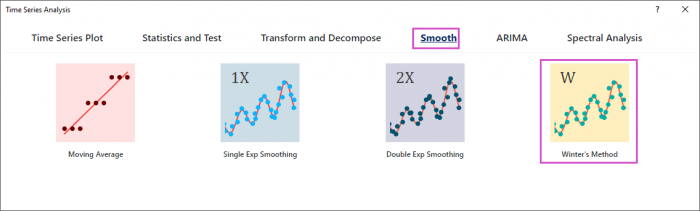
 - Choose Smooth tab. Click Winter's Method icon to open the dialog.
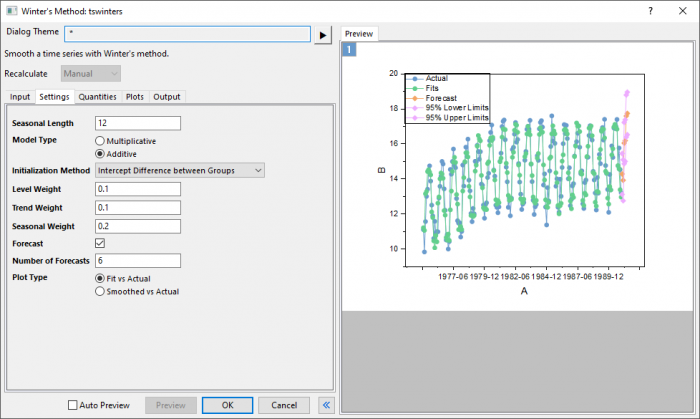
- In the Setting tab,set Seasonal Length to 12. Choose Multiplicative model type and Intercept Difference between Groups Initializaiton Method. Set level, trend and seasonal weight to 0.1, 0.1 and 0.2 respectively.
- To predict beer sales in the next six months, set Number of Forecasts to 6.
- Click Preview button to display fitted curve with forecasts against actual data.
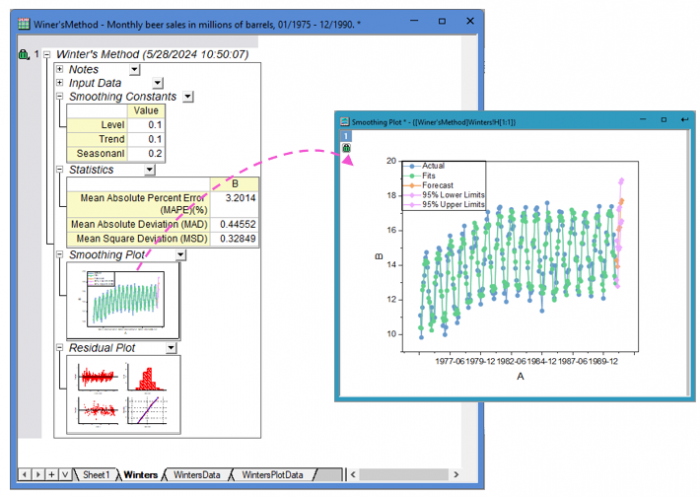
- Accept all other default settings and click OK button.