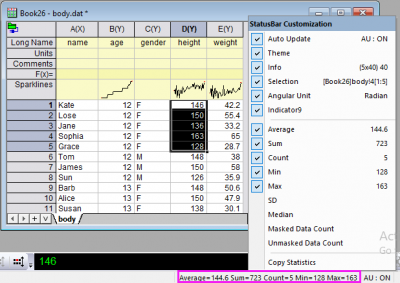
| You can right-click on the statistics listed in the status bar to customize what quantities to display there. |
 to the right of Data Range. Return to the worksheet, then drag and select columns D and E. Click the interactive button again to restore the dialog.
 and select B(Y): age. Click the button again and select C(Y): gender. In the list, select ..."gender" in the Group box, then use the Move Up button
  to move it to the top.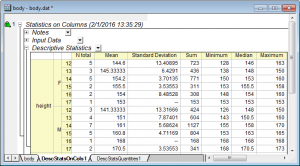
 on the right of the Descriptive Statistics node in the report sheet and select Digits... from the context menu.
 | The numeric display in all report sheets can be globally set using the Digits in Report control on the Numeric Format tab of the Options dialog accessible from the Preference: Options main menu. |