4.2.2.32 Fit Multiple Datasets by Fitting One and then Using Those Fit Parameters for Other Datasets
Fitting-MultiDataset
Summary
In some cases, you might have multiple datasets, and want to fit them using the user-defined function without parameter initial code. For increased efficiency, you can fit one and then apply the fit parameters for other datasets.
Minimum Origin Version Required: Origin 8.6
What you will learn
This tutorial will show you how to:
- Create a user-defined fitting function in Fitting Function Builder
- Perform an independent fit.
- Fit one of multiple datasets by doing 1-iteration, full-iteration.
- Apply the parameter values of one dataset to other datasets.
Steps
Create a User-Defined Function in Fitting Function Builder
The Fitting Function Builder can be used to create or edit a user-defined function. In the following section, we will define a fitting function MyExp with this tool.
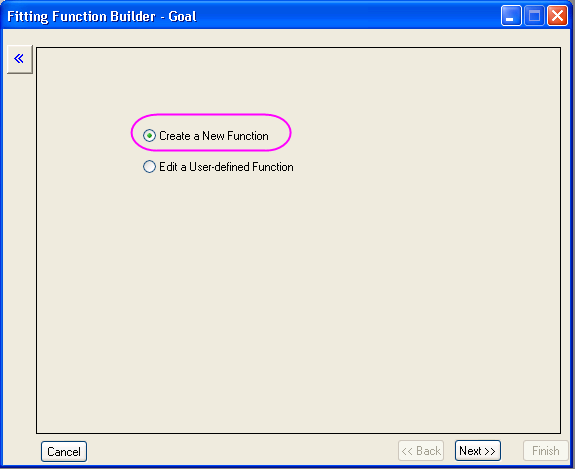
- Select Tools: Fitting Function Builder... from the main menu (or press F8) to open the Fitting Function Builder. Select the Create a New Function radio box.
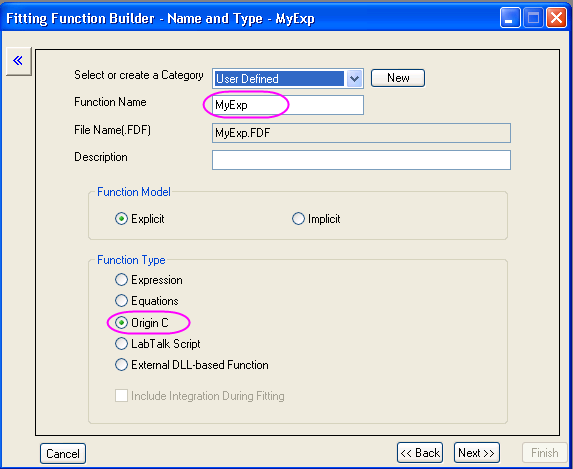
- Click the Next button to go to the Name and Type page. Enter MyExp in the Function Name box and select the Origin C radio box for the Function Type.
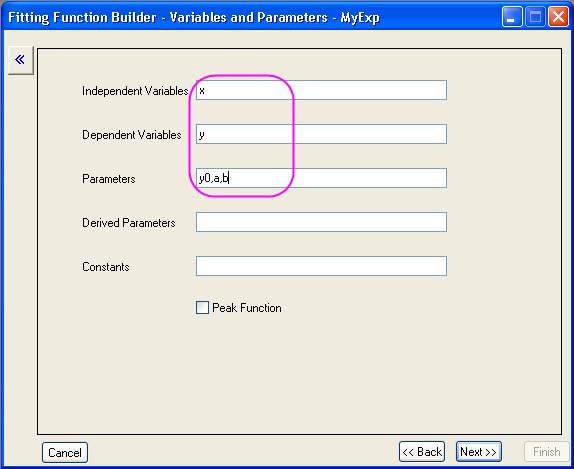
- Click the Next button to go to the Variables and Parameters page. Enter the variables and parameters as shown in the following screenshot:
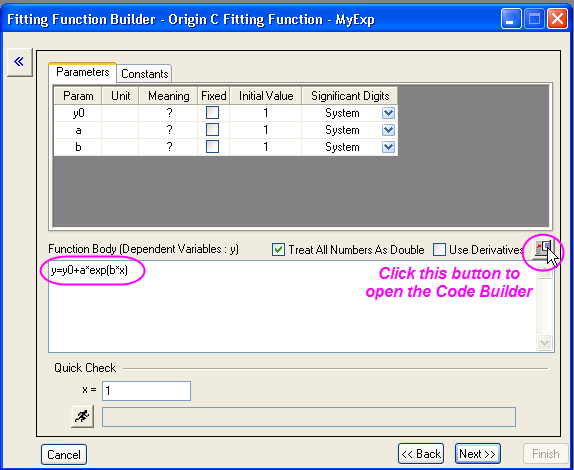
- Click the Next button to go to the Origin C Fitting Function page. Enter the function body y=y0+a*exp(b*x) in the Function Body box. To verify the correctness of the function, click the button beside the Function box to open the Origin Code Builder.
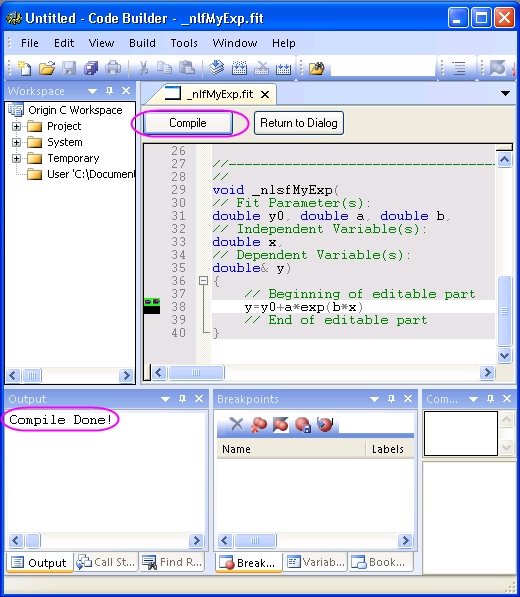
- In the Code Builder, click the Compile button to compile the function. If passed, the message Compile Done will show, and then you can click the Return to Dialog button to return to the Fitting Function Builder.
- Click the Finish button to create this fitting function MyExp.
Fit Multiple Dataset with User-Defined Fitting Function
- Import \Samples\Curve Fitting\Exponential Decay.dat to Origin worksheet.
- Highlight all columns and then select Analysis: Fitting: Non-linear Curve Fit from the menu to open the NLFit dialog.
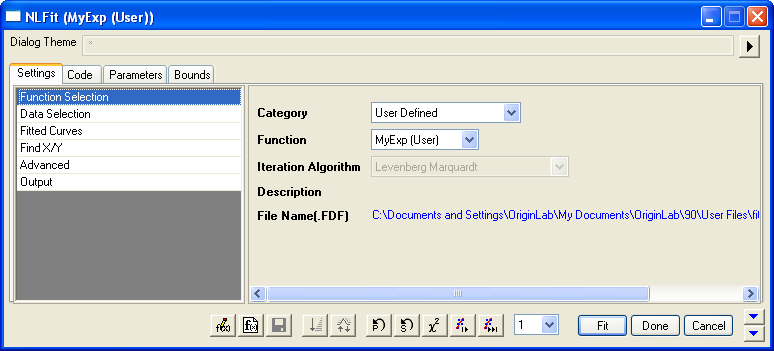
- Select the function just defined in Settings tab, Function Selection page:
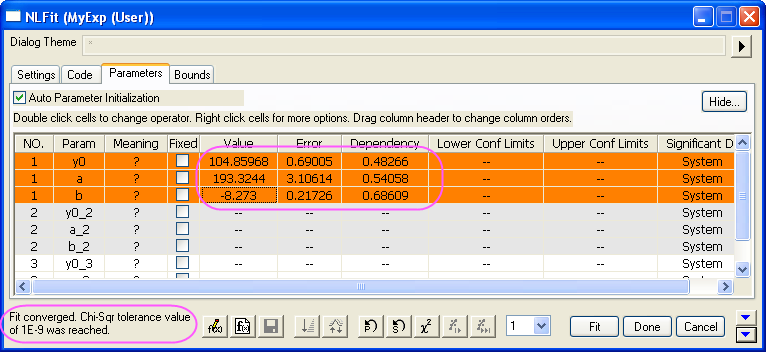
- Switch to Parameters tab, enter 80, 100, -5 on the Value column as initial values for y0, a, b of the first dataset. Then select 1 from the independent fit drop-down list and iterate the first dataset until converged.
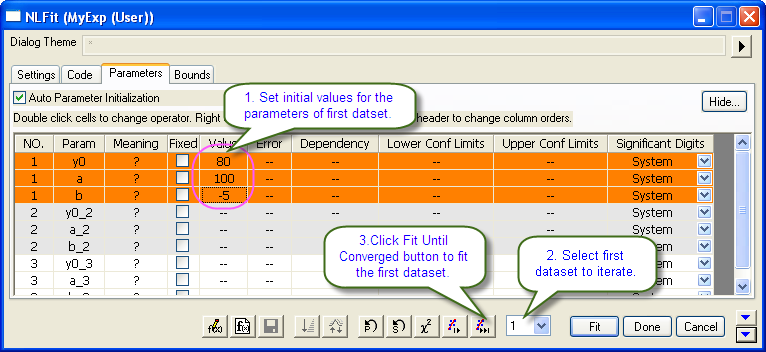
- The parameter values are calculated and the fitting result is hinted in the buttom left corner of this dialog.
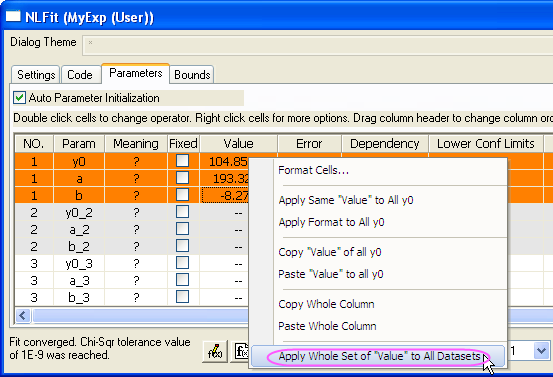
- To initialize the parameters of other datasets, apply the parameter values of the first dataset to other datasets by right-clicking the values, and then selecting Apply Whole Set of "Value" to All Datasets from the fly-out menu.
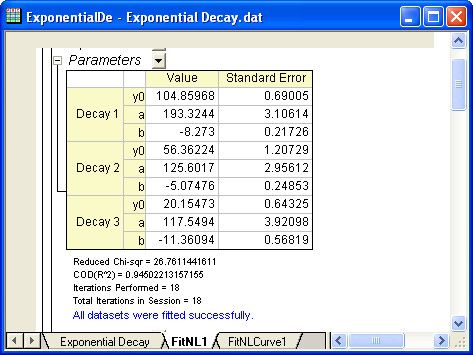
- Click Fit button to finish the fitting for all datasets.