6.94 FAQ-1122 I see an error message saying "To run this product you need to update your license maintenance date". What should I do?
Last Update: 3/17/2023
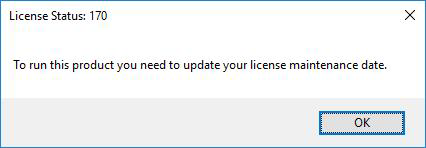
If you see following error message when launching Origin:
License Status: 170
To run this product you need to update your license maintenance date
If you are connecting your Origin to a license server:
Please contact your Origin license server administrator to check if the Origin version installed on the client machine is supported by your Maintenance plan.
- If yes, please check if the license file on the server has been updated after Maintenance renewal.
- If not, please follow the instructions on this page to update the license file with the new Maintenance date
- If the license file has been updated already, please press Reread License File button on the Start/Stop/Reread tab of LMTools.
- If not, please uninstall the current Origin version and install the supported version instead.
If you are running a Node-Locked license:
- Please follow the instructions on this page to update your license with the new Maintenance date.
- Or, in the Origin software, select Help: Activate License and click 'Activate'. This will update your license with the new Maintenance date.
Keywords:Lic Status: 170, cant connect to server, 3 minute, lic expire, network, FlexLM server, floating lic, cannot check out, update, maintenance renew