6.88 FAQ-1115 What should I do if I see a "The product key must be registered online before activation" error when activating the license?
Last Update: 12/19/2021
If you got a product key from Origin administrator of your organization directly and entered it into Origin's License Activation dialog, you may see an error message:
- The product key must be registered online before activation.
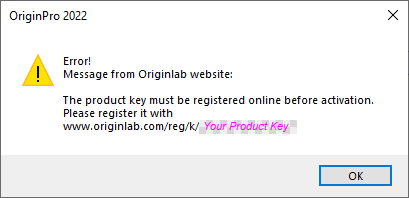
Please register the product key as following:
- Open the web browser to
www.originlab.com/reg/k/<YourProductKey>. - Log into your OriginLab web account. If you don't have an account yet, please create one.
- After log in, click the Register button after your product key.
- The product key is now registered to your account. Use it to activate your Origin again.
Keywords:reg key, node locked, group package, activate lic