5.87 FAQ-1170 Can I pin a window so it always stays on top even when I switch to another folder?
Last Update: 3/30/2023
Yes. Starting from Origin 2023b, a window can be pinned to keep it visible when changing folders.
There are two ways to Pin/Unpin a window:
- Folders and Windows Toolbar
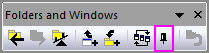
Activate your window and select the Pin Active Window button on the Folders and Windows Toolbar. - Window Title Bar Context Menu
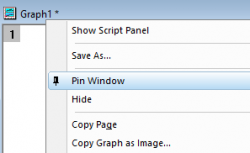
Right-click the window title bar to open the Context menu and select Pin Window.
Pinned windows will have a  button located at the top-right side of the window next to the Minimize button. Pinned windows can be unpinned by clicking this button or by using either of the first two methods.
 | Use the System Variable @PWS=0 to disable persistent pinned windows when changing folders. |
Keywords:keep, stay, persist, swap, project explorer, compare