2.28 FAQ-461 How do I normalize a data matrix?
Last Update: 1/31/2018
Set Matrix Value
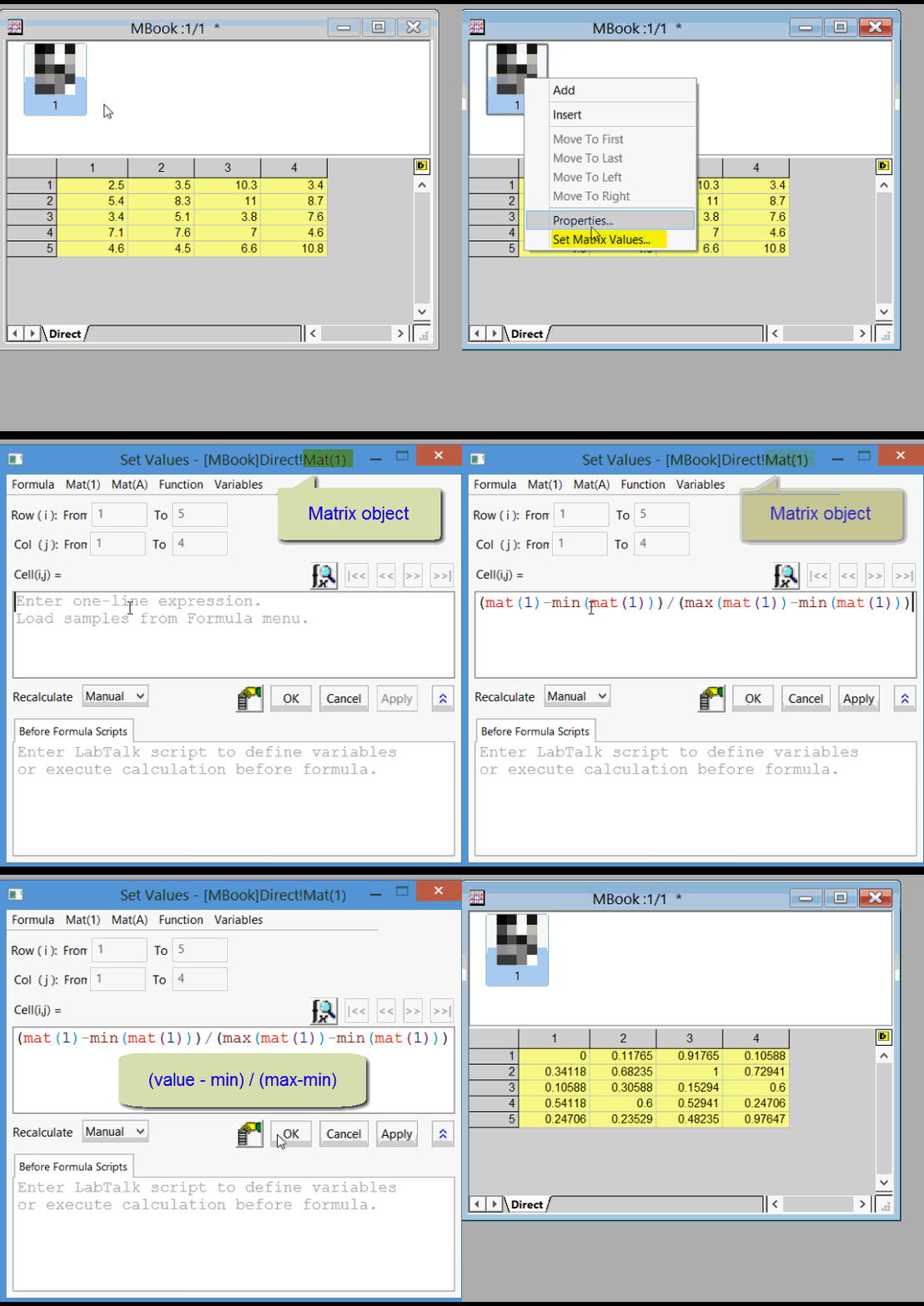
You can open Set Values dialog to write formula for matrix calculation. There are also built-in math and statistics functions available from Function menu in the dialog. This script normalizes the data to have a min value of 0 and max value of 1. You can modify script as needed for different normalization values.
- With Matrix window active, select Matrix: Set Values.. menu. or Ctrl+Q
- Check the dilaog title to see the active matrix object name, e.g. Mat(1).
- Enter the following formula (mat(1)-min(mat(1)))/(max(mat(1))-min(mat(1)))
- Click OK.
-
Run LabTalk Script
You can run the following script with your matrix object active. This script normalizes the data to have a min value of 0 and max value of 1. You can modify script as needed for different normalization values.
mat(1)=(mat(1)-min(mat(1)))/(max(mat(1))-min(mat(1))); //Normalize to be between 0 and 1 in all cells
Select Window: Script Window and paste the above script into this window. Put cursor anywhere on the line before ; and press Enter.
The following Script also works
// Normalize to be between 0 and 1 in all cells
range rm=<active>;
sum(rm); // Get statistics
rm -= sum.min; // subtract the minimum, resulting in new minimum of zero
rm /= (sum.max - sum.min); // divide by range, new maximum of one
Keywords:script, transform, scale, value, calculation