1.208 FAQ-951 How to move plots across layers?
Last Update: 4/12/2019
In Origin 2019, we added Move Plot to 2nd Y Axes or Move Plot(s) to Other Layer... in Object Manager which docked at the top-right corner of Origin workspace by default. Right click a plot and choose the menu to move plots to new right Y axis or an other layer.
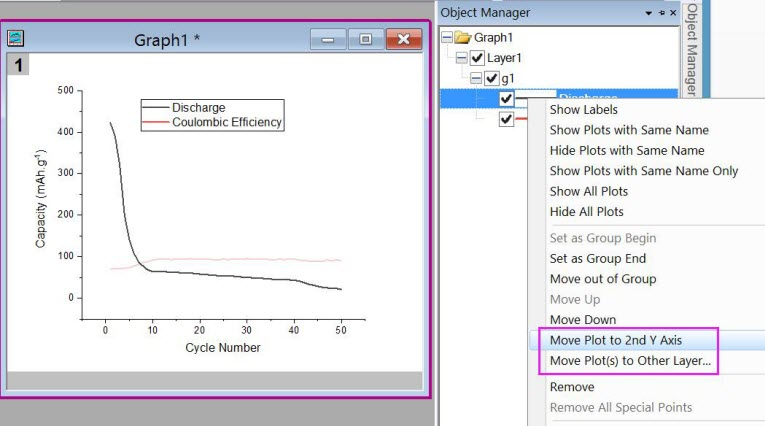
Before Origin 2019, you can drag-and-drop the plot within a layer or across layers to reorganize plots in Object Manager.
In older versions that doesn't support drag and drop in Object Manager, you can open the Plot Setup dialog to drag-and-drop the plot to reorder or reorganize the plots within a layer or across the layers.in the bottom panel of this dialog. Or open the Layer Contents dialog and move a plot out of one layer and add into another layer.
Keywords:move plot, reorder plot, move plot out of the layer, reorganize the plots