2.7 FAQ-414 How do I import data from the clipboard or from a web page?
Last Update: 9/7/2020
- Copy the data from your application or web page.
- In Origin, open the Import Wizard by clicking File: Import: Import Wizard or the Import Wizard
 toolbar button .
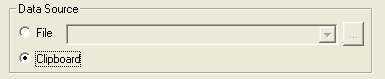
 - Set the Data Source to Clipboard as below and step through the Import Wizard pages.
- Click Finish to complete the import.
-
Notes:
|
Keywords:copy