5.63 FAQ-924 Why can't I highlight a column or range of data in one of my worksheets?
Last Update: 4/5/2018
In rare instances, a user finds that he or she cannot highlight any data in the worksheet:
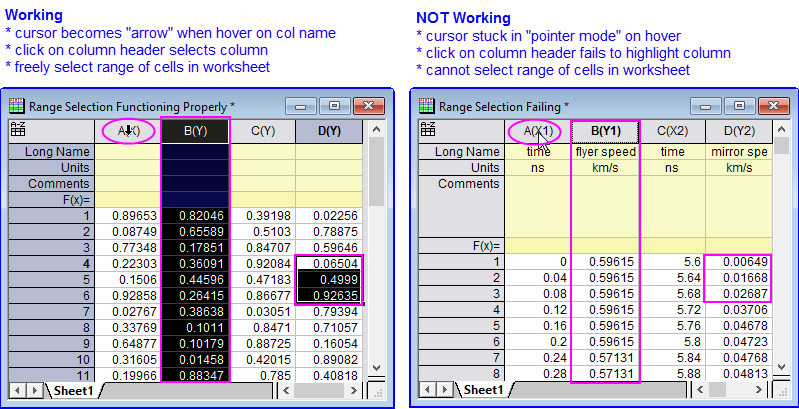
- Hovering on the worksheet column short name fails to put the cursor into selection mode (pointer does not change to downward-pointing arrow).
- Clicking on the column header does not select the column.
- You cannot select a range of cells in the worksheet.
If this occurs, activate the problem worksheet, open the Script Window (Window: Script Window), type the following and press Enter:
worksheet -es
Beginning with Origin 2018b, this command will run when a saved file is loaded, and should prevent any such problems from occurring in the future.
Keywords:selection, mouse, dragging