3.79 FAQ-317 How do I get data to draw on top of the box/bar + data charts?
Last Update: 3/16/2020
For box chart variants Box + Data Overlap and Bar + Data Overlap, you can force data to be drawn on top of the box or bar:
- Double-click on the plot to open Plot Details.
- Click on the Box tab and check the Draw Data on Top of Box/Bar check box.
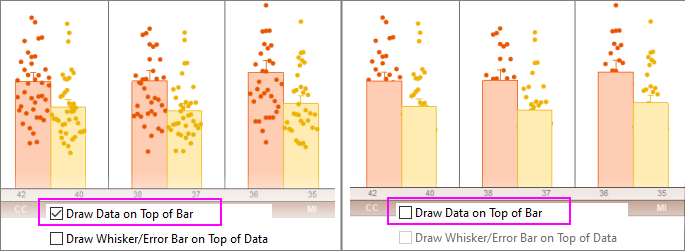
- For more information, see Data and Whisker Drawing Options.
- For information on creating box charts and variants (bar, violin, column scatter, etc.), see Creating Box Charts.
Keywords:box chart, bar chart, data on the top, Box + Data Overlap, Bar + Data Overlap