【お知らせ】この部分は英語原文のみでの提供となります。何卒ご了承ください。
3.174 FAQ-1242 How to Fix "Automatic installation failed" Error for Design of Experiments App?
Last Update: 9/29/2026
- Ensure that R software is installed on your computer (recommended version: 4.4.1).
- Click the Design of Experiments icon
 in the Apps Gallery.
 - The required packages will download automatically. If the automatic download fails, the following error message will appear in the Results Log:

- Open R, copy the last two lines of code from the Results Log, paste them into the R console, and press Enter to run them:
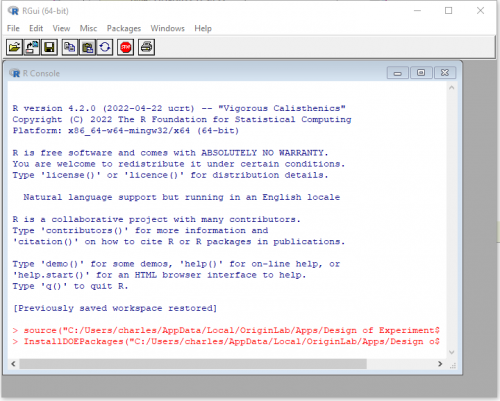
- A dialog window will pop up asking you to select a CRAN mirror site; select a site to initiate the package downloads in R.
- Once the packages have finished downloading without any error messages, restart Origin.
Keywords:DOE, CRAN mirror selection, DOEOOR.R, InstallDOEPackages