2.102 FAQ-989 How to display number as 10 000 instead of 10000?
Last Update: 1/9/2019
To display thousand separator as space rather than "," or other character, for example, display 10000 as "10 000", you can
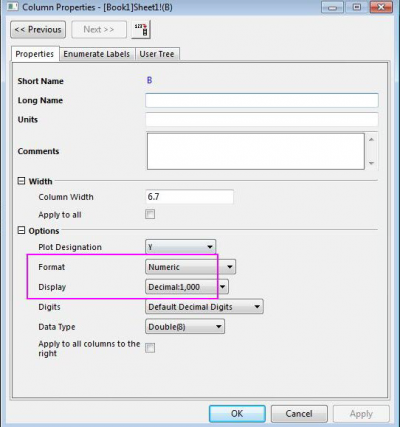
- Double click on the column header to open the Column Properties dialog. Set Format as Numberic and Display as Decimal: 1,000. Click OK.
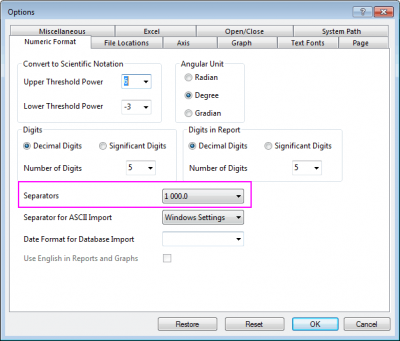
- Select menu Preference: Options. In the dialog that opens, go to Numeric Format tab. Set Separators to 1 000.0.
-
Keywords:separator, thousands