【お知らせ】この部分は英語原文のみでの提供となります。何卒ご了承ください。
4.1.1.4.2 Accessing a GraphControl Control with Origin C
The Graphs example demonstrates how to access graph controls in a Dialog Builder resource. To access the graph controls in the Graph Controls dialog below the example program uses the Origin C GraphControl class. The example dialog is launched by executing the function TwoGraphs in the source file TwoGraphs.c found in this zip file, under the \Dialog Builder\Graphs subfolder of Origin.
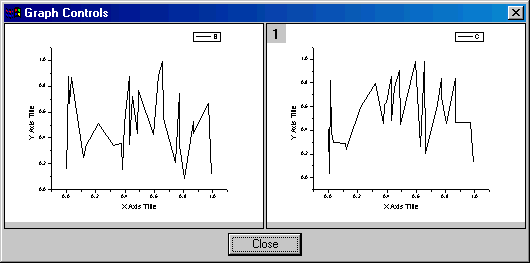
To launch the Graph Controls dialog above:
- Open the source file TwoGraphs.c in Code Builder.
- Add TwoGraphs.c to the Code Builder workspace by activating it and pressing the CTRL + W keys.
- Build TwoGraphs.c by clicking the Build button
 .
. - In Origin activate a worksheet and fill three columns (XYY) with numeric data.
- Type TwoGraphs in the Script Window or LabTalk Console and press the ENTER key.