Column Header Height = X% of default row height of 16px (e.g. 150% * 16px = 24px).
Row Header Width = X% of default column width of 67px (e.g. 128% * 67px = 86px).
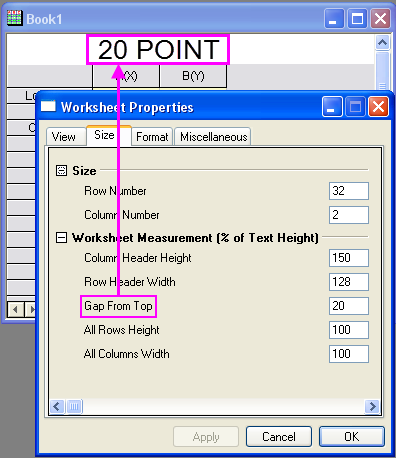
You can insert a gap between the workbook window title bar and the top of the worksheet. Use this area to do such things as place text objects or custom buttons that run script. Gap is measured in units of text point size (e.g. entering "20" creates a gap that will accommodate 20 point text).
All Rows Height = X% of default row height of 16px (e.g. 100% * 16px = 16px).
All Columns Width = X% of default column width of 67px (e.g. 100% * 67px = 67px).