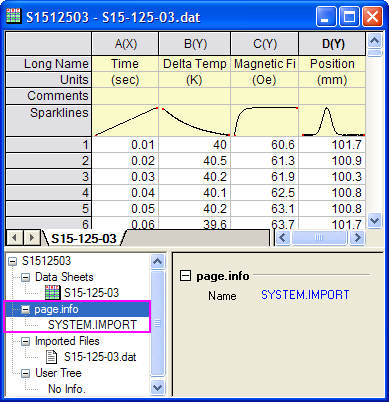
Note that there are two areas in which to store metadata in the workbook. Such information can be accessed from LabTalk script in the following ways:
To read metadata saved in the page.info storage area, type the following at the command line in the Command Window:
Basic file information (filename, type, etc.) is saved in the System node, while any user-defined variables extracted from the file header are stored in the User node. If you are only interested in viewing information in one of these nodes:
(assuming they exist), you can type the following:
Page.info.system.= <ENTER>
Page.info.user.= <ENTER>
Any information stored in these nodes is returned to the Command Window.
To access metadata in binary storage, we call the X-Function impinfo.
By default, this X-Function reads information stored from the last imported file. To read information stored from another file, you have to further specify a file index number using the findex variable.
Example:
File indexing begins at zero, so to read metadata associated with the first file imported into the active workbook, you would use the following script command:
impinfo findex:=0
|
Note: For more details on the use of impinfo, open the X-Function Help file (Help: X-Functions) and search on "impinfo." Alternately, type the following at the command line: Help impinfo |