Peak Analyzer, Subtract Baseline
PeakAnalyzer-SubtractBaseline
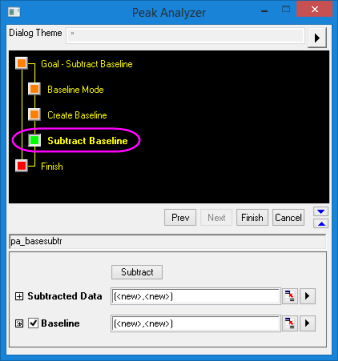
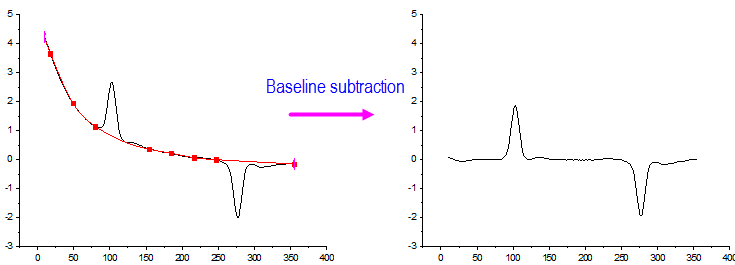
This page is available when Subtract Baseline is selected for Goal. It helps you to get the subtracted data and the baseline.
-
- Menu Command: Analysis: Peaks and Baseline: Peak Analyzer: Open Dialog
- Window Types: Workbook, Graph
Dialog Theme
Subtract Baseline Controls
| Subtract |
Click this button to subtract the baseline. |
| No Subtract |
Click this button to undo the baseline subtraction. |
| Subtracted Data |
Specifies the destination for the subtracted data. See Output Results. |
| Baseline |
Specifies the destination for the baseline data. See Output Results. |
- Peaks analysieren, Seite Ziel (Startseite)
- Peak Analyzer, Baseline Mode Page
- Peak Analyzer, XPS Baseline
- Peak Analyzer, End Points Weighted Baseline Page
- Peak Analyzer, ALS Baseline
- Peak Analyzer, Create Baseline Page
- Peak Analyzer, Baseline Treatment Page
- Peak Analyzer, Subtract Baseline
- Peaks analysieren, Seite Peaks suchen
- Peaks analysieren, Seite Peaks integrieren
- Peaks analysieren, Seite Peaks anpassen
- Dialog Peak-Fit Parameter