9.3.7.51 The (Plot Details) Layout Tab for Cause-and-Effect
This tab is used to do the layout settings for the Cause-and-Effect diagram.
Contents
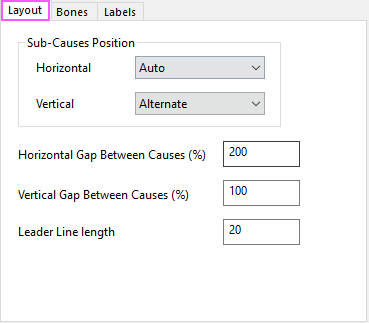
Sub-Causes Postion
This control group can be used to adjust the position of sub-causes.
Horizontal
Specify how to position the sub-causes horizontally:
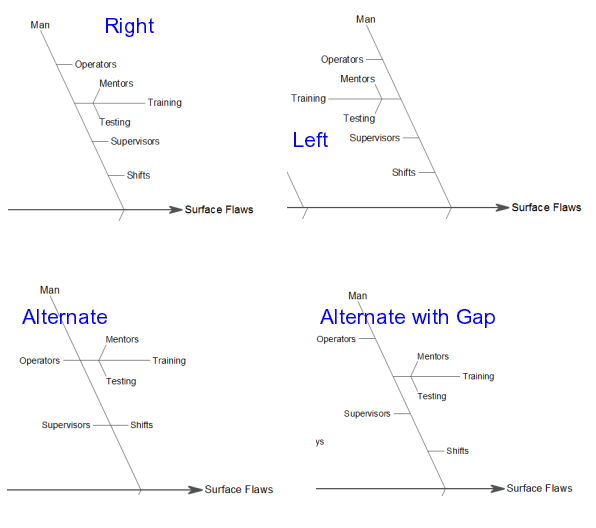
When you chose Auto:
- If number of sub-causes is equal or more than 8 under any main cause, Auto is Right;
- If number of sub-causes is less than 8,
- If there is more than 1 sub-causes with depth>=3 under same main cause(it means the depth of this main cause is more than 4), Auto is Alternate;
- For the rest cases, Auto is Right.
Vertical
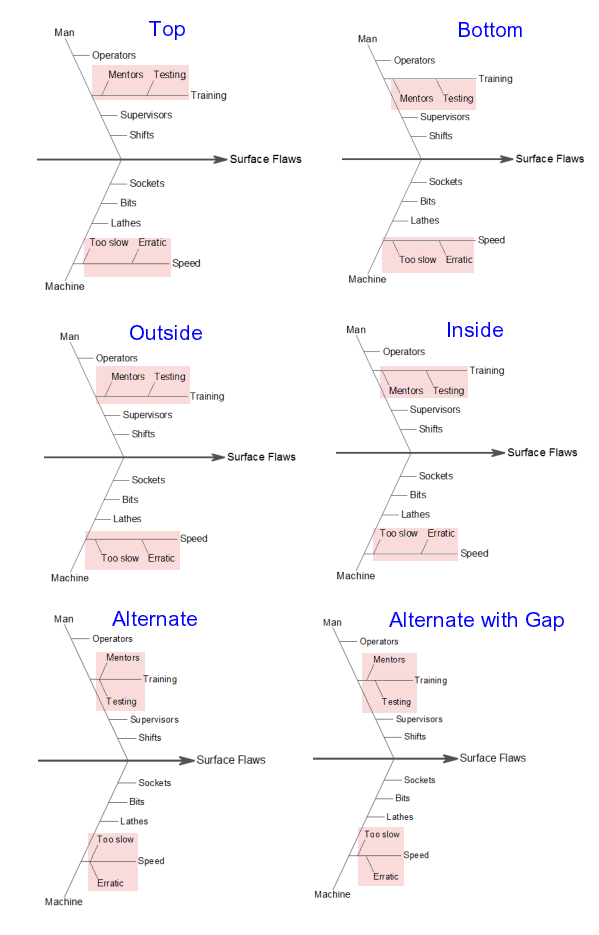
Specify how to position the sub-sub-causes vertically:
Horizontal Gap Between Causes(%)
Specify the gap size between causes in horizontal direction. The unit is % of font height.
Vertical Gap Between Causes(%)
Specify the gap size between causes in vertical direction. The unit is % of font height.
Leader Line Length
Specify the leader line length of the terminal branches (those with no more sub-branches). The unit is points.