9.6.10 The (Plot Details) Pattern Tab for Ridgeline
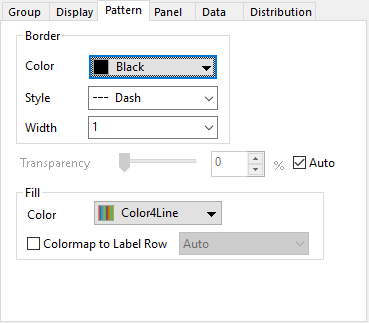
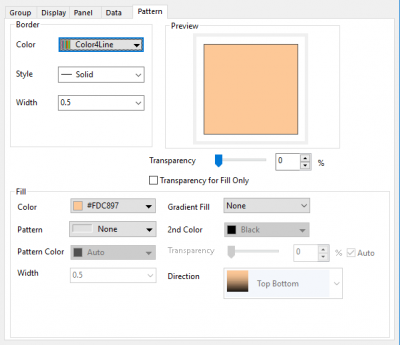
This Pattern tab is used to control how to color the distribution lines and area of each sample.
|
|
| Pattern tab for distribution curves | Pattern tab for single block bar |
Border
Customize the distribution curves or the border of the single block bar.
Color
Specify the border color to one single color or a color list applied by plots.
Style
Specify the line style of the distribution curves or the border of the bar.
Width
Specify the line width of the distribution curves or the border of the bar.
Transparency
Adjust the transparency of the distribution curve/bar border and fill area.
Fill
Specify how to fill the area or bar.
For the ridgeline plot with distribution curves, you can use this control to customize the fill area under the curves. An additional combo box Colormap to Label Row to allow you apply the colormap to the fill area according to the values in the specified column label row.
For the ridgeline plot with single block bar, you can customize the bar fill just like we do for the histogram