9.5.2.6 The (Plot Details) Mesh Tab
 |
 |
Matrix based
|
XYZ based
|
 | For LabTalk control, see Set the mesh on 3D surface plots. |
Contents
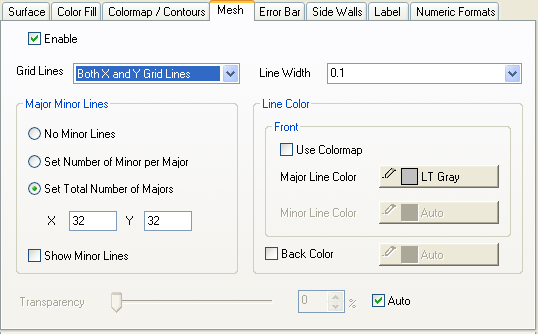
Grid Lines
Specify how to display the grind lines options include: X Grid Lines only, Y Grid Lines only, or Both X and Y Grid Lines.
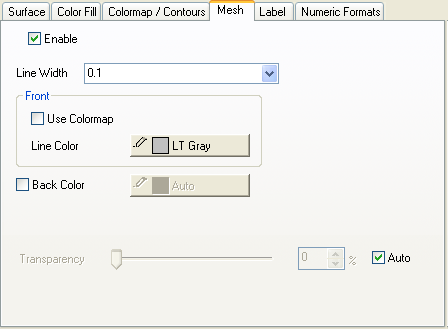
Line Width
Specify the grid line width.
Major Minor Lines
No Minor Lines
All grid lines are major lines.
Set Number of Minor per Major
Enter the X and Y value to specify the number of minor lines per major lines.
Set Total Number of Majors
Enter the X and Y data to specify the total number of major lines.
Show Minor Lines
Check this check box to show the minor lines on the surface.
Line Color
Front
Use Colormap check box is used to set the color of grid lines as same as the surface colormap.
Major and minor line color can be specified from the color list.
Back Color
Specify the back color of grid lines.
Transparency
Specify the grid line transparency. Select the Auto check box to use the same transparency of the surface.