9.3.7.26 The (Plot Details) Contour Fill Tab
This tab is used to control the fill patterns of an Overlaid Contour plot.
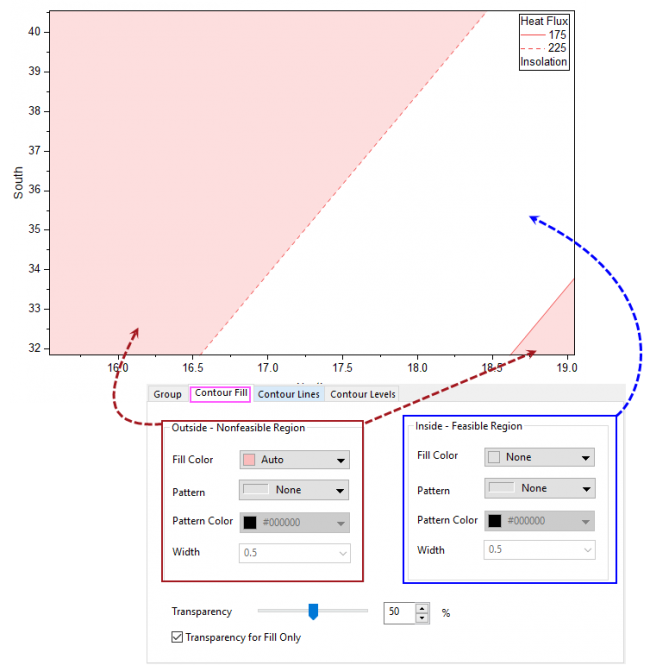
Contents
Controls for Outside/Inside Regions
Fill Color
Specify a fill color. Select None to display a transparent fill. For help with color controls, see Customizing Data Plot Colors. When Auto is selected, Origin uses a lighter version of the Border Color for the fill color.
Pattern
Specify how to fill the pattern using the Pattern Chooser.
Width
Specify the width of the lines in the fill pattern. Line width is measured in units of points, where 1 point=1/72 inch.
For more details about these controls, please refer to Pattern tab.
Transparency
Specify the transparency of the fill color and pattern.
Transparency for Fill Only
Check this check box to apply the transparency for fill color only.