9.3.7.52 The (Plot Details) Bones Tab
This tab is used to do the bones settings for the Cause-and-Effect diagram.
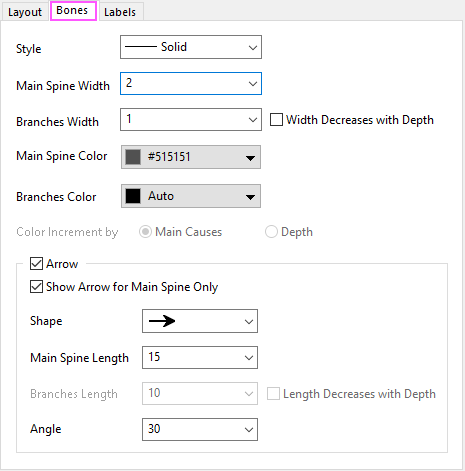
Contents
Style
Choose a line style for main spine and branches.
Main Spine Width
Specify the line width for the main spine.
Branches Width
Specify the line width for the branches. You can further check the " Width Decreases with Depth" box to make the line width decrease with the depth of the branches.
Main Spine Color
Set the line color for main spine.
Branches Color
Set the line color for branches. Auto means following the color of main spine. You can choose incremental color under the By Points tab of color chooser.
Color Increment by
You can choose how to apply the increment color for branches.
- Main Causes: Apply the color list to different main causes, all branches under same main cause will use a same color.
- Depth: Apply color list to the different depths of the branches.
Arrow
This group will help you control the arrow of the main spine and branches.
Show Arrow for Main Spine Only
You can check this box to only show arrow for main spine.
Shape
Choose a arrow shape.
Main Spine Length
Set the arrow length for main spine.
Branches Length
Set the arrow length for branches. You can check the Length Decreases with Depth box to make the arrow length decrease with the depth of the braches.
Angle
Specify the angle of the arrow.