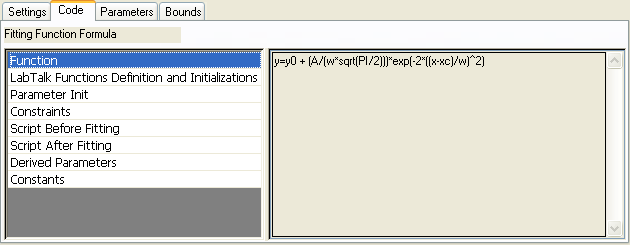
The fitting function definition (e.g. y = y0+(A/(w*sqrt(PI/2)))*exp(-2*((x-xc)/w)^2)).
Show the definition and initializations of the selected function defined in LabTalk code.
Select Auto Parameter Initialization (Parameters tab) to enable the parameter initialization.
The initialization routine is visible in the text box on the right. The initialization routine uses the selected dependent and independent datasets to determine appropriate initial parameter values for the fitting function. The routine is automatically executed when you select a fitting function.
Origin provides parameter initialization routines for all built-in functions. For user-defined functions, you can create custom routines, or specify each parameter's initial value.
See: Parameter Initialization.
Select Enable Linear Constraints to enable constraints. The text box on the right specifies general linear constraints for the fit parameters. Multiple constraints should be separated by semicolons.
For example, the following string defines multiple constraints:
a>b; a+2*b>=c*2-d; a<b<c; a/3<9;
Note that nonlinear constraints such as "a^2>c; a*b>3; 1/b>c+2; sin(a)<c;" are not allowed.
See: Bounds and Constraints.
Enter any script that you would like to have executed before the fit proceeds.
Enter any script that you would like to have executed after the fitting is complete.
Derived Parameters is a post-fit procedure. It uses LabTalk syntax to calculate values derived from fitted parameters. These additional parameters are computed at the end of the fitting session, using the resultant fit parameter values.
Show any defined constants.