| Arrange Selected Layers |
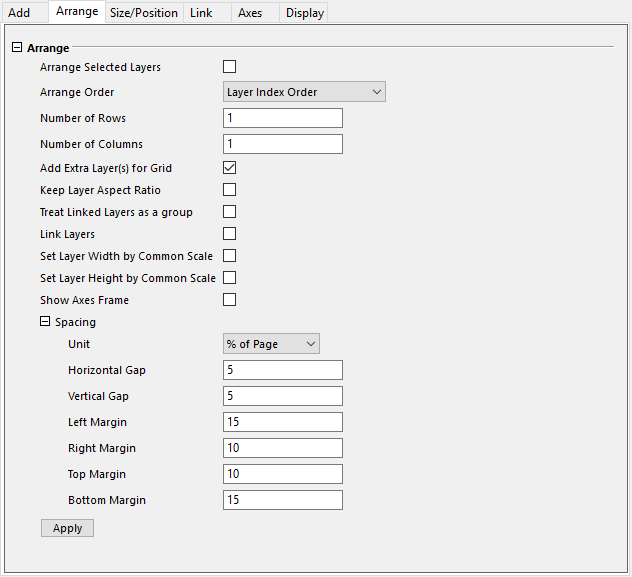
If this checkbox is selected, only the layers selected in the Layer Selection panel will be arranged. | |
|---|---|---|
| Arrange Order |
| |
| Number of Rows |
This tool assumes that you want to arrange your layers in an N by M grid. You can use this box to specify M--the number of rows in the grid. | |
| Number of Columns |
This tool assumes that you want to arrange your layers in an N by M grid. You can use this box to specify N--the number of columns in the grid. | |
| Direction |
This tool specifies the direction for arranging graph layers in specified grid.
| |
| Use Alternate Side to Show Ticks and Labels |
Specifies whether to show Axis Ticks and Labels on left and right side (bottom and top) alternately in the graph layers.
| |
| Add Extra Layer(s) for Grid |
This checkbox specifies whether or not to create additional layers required to fill out the N by M grid. If it is cleared, Origin arranges the existing layers, leaving blank spaces to round out the required number of layers. | |
| Keep Layer Aspect Ratio |
This checkbox specifies whether or not to keep the aspect ratio of the selected layers when they are rearranged. | |
| Treat Linked Layers as a group |
This checkbox specifies whether to treat linked layers as a group. When some layers are linked in a group, they would be arranged at the exact same position of the graph. | |
| Link Layers |
This checkbox specifies whether to link the selected layer in the Layer Selection Panel to the first layer. The default setting is no. | |
| Set Layer Width by Common Scale |
The width of each layer is determined using a common scale. For instance, when drawing stacked bar charts, establishing a common scale allows direct visual comparison of bar length across layers. By contrast, when this option is not enabled, two axes with the same physical dimensions may display very different scale ranges. | |
| Set Layer Height by Common Scale |
The height of each layer is determined using a common scale. For instance, when drawing stacked column charts, establishing a common scale allows direct visual comparison of column height across layers. By contrast, when this option is not enabled, two axes with the same physical dimensions may display very different scale ranges. | |
| Show Axes Frame |
This checkbox specifies whether to show axes frame and hide axes/ticks of graphs when axes/ticks are overlapping. | |
| Spacing |
This group is used to specify the graph page margins and gaps in specified unit.
| |
| Apply |
When this button is clicked, the Arrange settings that you changed will be applied in preview graphs, and you can see it in the Preview panel. |
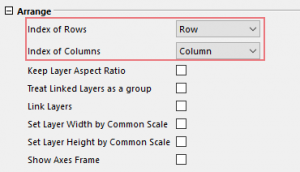
| Note:When the graph is a Tile Grid Map, Number of Rows and Number of Columns will change to Index of Rows and Index of Columns which are drop-down lists to let you select a column label row of source data to arrange the layers. And the Arrange Selected Layers, Arrange Order and Direction option will be hidden.
|