The Inverse 2D FFT Dialog Box
-
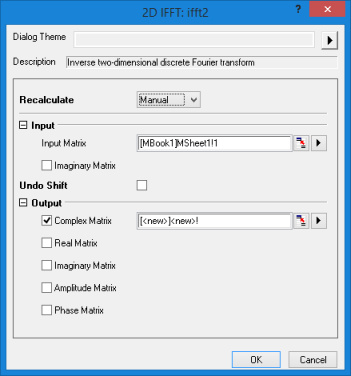
- Menu Command: Analysis: Signal Processing: FFT: 2D IFFT
- Window Type: Matrix, 3D/Contour Plots
- X-Function Script and GUI Examples: ifft2(Pro)
| Dialog Theme | See Dialog Themes. |
|---|
| Recalculate | |
|---|---|
| Input Matrix |
Can be complex matrix or real matrix. See Specifying Your Input Data. |
| Imaginary Matrix |
Specifies the imaginary matrix if the real part and imaginary part are separated into a different matrix. |
| Undo Shift |
This checkbox should be selected if the DC component is in the center of the input matrix. |
| Output Matrix |
Specifies the output matrices. See Output Results.
|