6.4.8.5 Import Wizard, The User-Defined Filters Page (User-Defined)
Use this page to specify either Python code or an Origin C file to import the data file. If Python is chosen, the code can ether be added via direct entry or via a link to an external Python file.
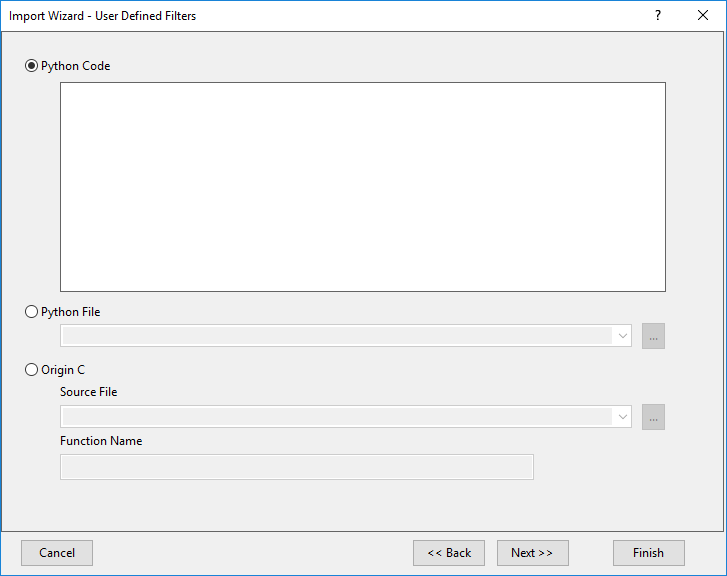
User-Defined Filters Controls
| Python Code
|
Directly enter the Python code into the box to perform the import. Learn more about Python in Origin
.
|
| Python File
|
Enter the path of the Python file you want to perform the data import. You may specify:
- An absolute file path.
- A file path relative to your User Files folder.
- Just a file name if the file is in your User Files folder.
|
| Origin C
|
- Source File
- Enter the path to the Origin C source file.
- The default path for the Origin C file is assumed to be under the \OriginC subfolder of your Origin installation folder. You could specify an absolute path (such as d:\myfiles\myfunction). However, this is not recommended in cases where you intend to share your custom function and import filter with others.
- Two relative file paths (<User Files Folder> and ) are available in the drop-down list to help you simplify entering the file path.
- Function Name
- Name the function (Referred to Origin C Source File) to be used in processing/importing your data to the target window.
|
 See a related video:Import Filter
