15.3.4.2 Specifying Partial Derivative of Parameters
Contents
Iterative procedure of L-M algorithm need to calculate the partial derivatives of fitting functions to go forward to the best fit. So when you define your user-defined function, specifying partial derivatives can reduce the time it takes to perform a set of iterations.
If you wish to specify partial derivatives, note that you must specify the derivatives of the function of the dependent variable in terms of the fit parameters.
If you did not specify partial derivatives, Origin will solve the partial derivatives of fitting functions with numeric methods.
| Notes: However, given the much-enhanced speed of fitting achieved with Origin C, specifying partial derivatives may not be necessary. |
 |
|
How to Set Partial Derivative Parameters
Using Function Builder
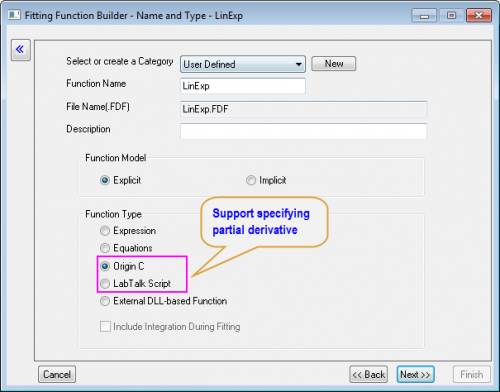
- In the Name and Type page of Fitting Function Builder, set Function Type to be Origin C or Labtalk Script
-
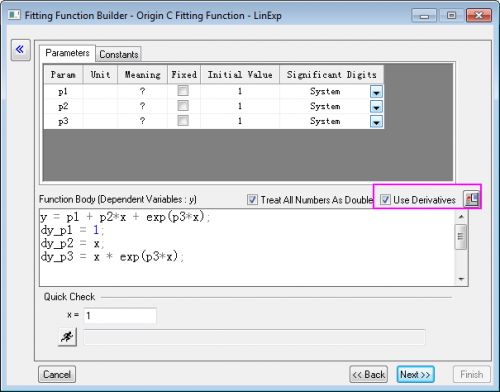
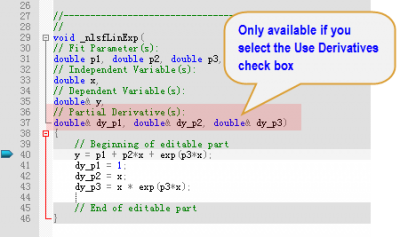
- Continue to go to the Function Body page, make sure to select the Use Derivatives check box. Then click the Open Code Builder Button

- Define the function and partial derivation equations in the fitting function body
Using Function Organizer
In the Fitting Function Organizer
- Choose Function Form to be "Y-Script" or Origin C
- Select the Derivative check box
- Click the Open Code Builder Button next to the Function box
- Define the function and partial derivation equations in the fitting function body
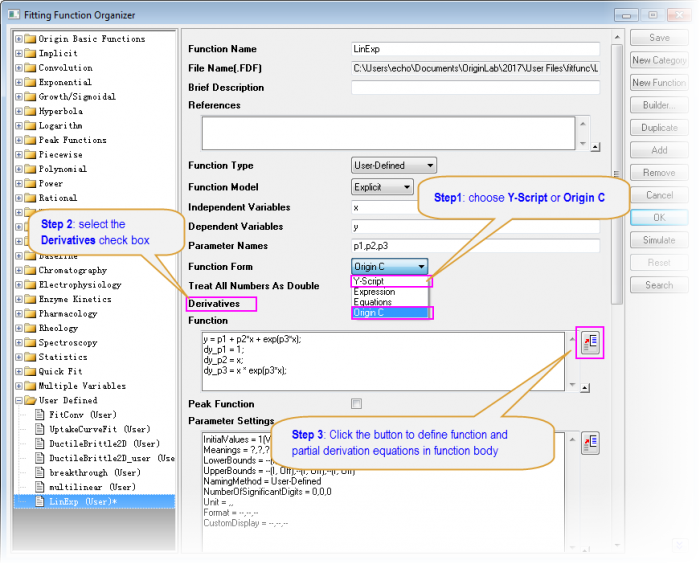
Defining Partial Derivative
By Origin C
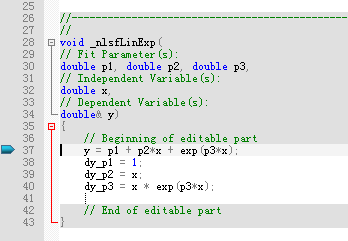
If you have chosen to define the function using Origin C, the variables for the partial derivatives will be pre-defined in Code Builder. You just need to enter the expression for them.

|
For example, if the function is:
The partial derivatives for each parameter should be:
Then if you define an Origin C fitting function, the variables dy_P1, dy_P2, and dy_P3 will be available, and can define the function with partial derivatives by: y = p1 + p2*x + exp(p3*x); dy_p1 = 1; dy_p2 = x; dy_p3 = x * exp(p3*x); |
By Labtalk
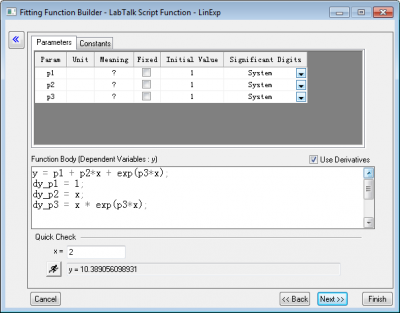
If you want to define your function using LabTalk, select Y-Script in Fitting Function Organizer or Labtalk Script in Fitting Function Builder, Use d_VarName to represent the derivative variables.
However, Origin C is easier to use because it enables user to compile and evaluate the functions before they really use it. Now we don't recommend specifying partial derivative using Labtalk.
|
|
For the same example as in tutorial of above section Function: \(y=P_1+P_2x+e^{P_3x}\) The function and the partial derivatives can be defined by Labtalk as below y = p1 + p2*x + exp(p3*x); dy_p1 = 1; dy_p2 = x; dy_p3 = x * exp(p3*x);
|