15.3.4.4 The Fitting Function Builder
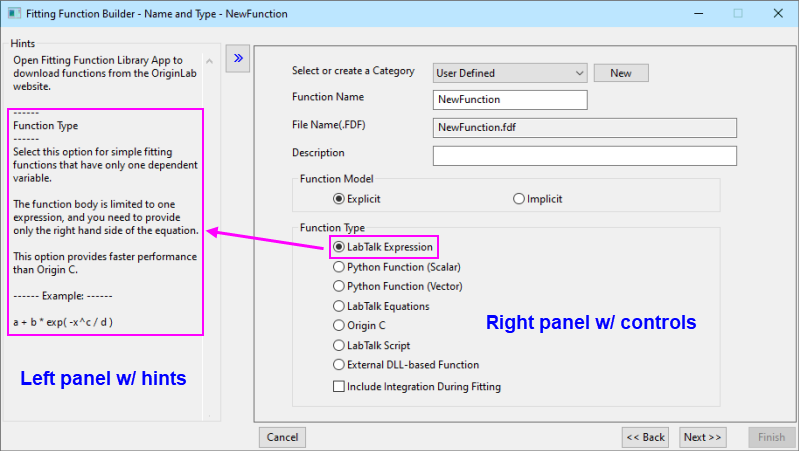
The Fitting Function Builder provides a user-friendly wizard to guide you through the steps of creating or editing a fitting function.
Each page of the wizard contains two panels. The left panel offers relevant hints and examples. The right panel offers options for customizing your user-defined function. Click the  or
or  button to hide or show the left panel.
There are several ways to open the Fitting Function Builder:
- Press F8.
- In Origin’s main menu, click Tools, and then click Fitting Function Builder.
- Click the Builder button
 in the Fitting Function Organizer Dialog.
Note that while you can create and edit functions with the Fitting Function Organizer, the Builder's wizard interface makes it much easier. When using the Fitting Function Builder, you can set options in all wizard pages, or skip pages and leave defaults.
NOTE:
|